How to Choose the Right Patch Panel for Your Network Needs?
Selecting the right patch panel is crucial for building a reliable network. A patch panel organizes and connects multiple network cables efficiently. Choosing the best option can be overwhelming due to various designs and specifications available.
Consider your specific network needs. Will you require a rack-mounted or wall-mounted patch panel? The size and capacity matter. Think about how many devices you plan to connect now and in the future. Good planning can prevent constraints later.
Pay attention to quality and price. Sometimes, cheaper models might not last as long. Reflect on what fits your budget but doesn't compromise functionality. Incomplete information can lead to poor choices. Be clear on your requirements to avoid regret.
Choosing the Right Patch Panel: Understanding Your Network Infrastructure
Choosing the right patch panel requires a clear understanding of your network infrastructure. Assess your current setup and future growth needs. A patch panel acts as a central hub, organizing cables and ensuring system efficiency. According to industry reports, an effective patch panel can reduce network downtime by 30%. Consider factors like cable type, port density, and usage scenarios.
When selecting a patch panel, remember these tips:
First, evaluate the number of ports you need. A common mistake is underestimating future growth. This could lead to unmanageable setups.
Second, check compatibility with existing cables. Ensure the patch panel can accommodate both fiber and copper connections, as networks become increasingly versatile.
Networking standards are crucial. Reports indicate that structured cabling systems can enhance data transfer speeds by up to 40%. However, not all patch panels support high-speed protocols. Reflect on your network demands—do you require flexibility, or is efficiency your primary focus? There’s often a trade-off. Balancing these can be challenging but leads to a more robust network infrastructure.
Types of Patch Panels: Comparing UTP, STP, and Fiber Options
When choosing a patch panel for your network, understanding the differences among UTP, STP, and fiber options is crucial. Unshielded Twisted Pair (UTP) is the most common type. It offers a cost-effective solution for many businesses. UTP panels are easy to install and maintain. However, they are susceptible to electromagnetic interference. This limits their effectiveness in environments with high electronic activity.
Shielded Twisted Pair (STP) provides additional protection against interference. It includes a foil shield around the wires. This makes it suitable for industrial settings. Reports indicate STP can reduce crosstalk by up to 30%. While more expensive than UTP, its improved performance often justifies the investment, especially for high-density networks.
Fiber patch panels offer the highest performance. They transmit data using light, resulting in faster speeds and greater bandwidth. They are ideal for long-distance connections. However, fiber optics can be more fragile and costly to install. The choice should align with your network’s requirements and environment.
Tips: Assess your environment. If there’s a lot of electronic noise, consider STP or fiber. Look at your budget. UTP is cheaper, but not always the best choice. Don’t overlook installation complexity. Complicated setups can lead to future issues. Aim for a balance between price and performance.
How to Choose the Right Patch Panel for Your Network Needs?
| Type |
Application |
Cable Type |
Bandwidth |
Cost Range |
| UTP (Unshielded Twisted Pair) |
General Networking |
Ethernet Cable |
Up to 1 Gbps |
$50 - $200 |
| STP (Shielded Twisted Pair) |
Interference-prone Environments |
Ethernet Cable |
Up to 10 Gbps |
$70 - $250 |
| Fiber Optic |
High-speed Networking & Long Distances |
Fiber Cable |
Up to 100 Gbps |
$100 - $300 |
| Modular Patch Panels |
Flexible Configurations |
Various |
Varies |
$80 - $400 |
Evaluating Patch Panel Capacity: Managed vs. Unmanaged Solutions
When choosing a patch panel, it's essential to consider capacity. Patch panels can be broadly categorized into managed and unmanaged solutions.
Managed patch panels offer advanced features. They allow for monitoring, configuring, and troubleshooting network connections in real time. This can lead to improved network performance and security. However, such features might also complicate setup and require more technical expertise.
Unmanaged patch panels are simpler. They function like a simple connector without extra features. These are often more affordable and easy to install. For small networks, unmanaged solutions might be sufficient. However, in larger setups, they can become limiting. You might not identify issues quickly with an unmanaged panel.
Evaluate your network's current and future needs. Managed panels give better long-term scalability but need extra planning. Unmanaged panels are quick and easy, but could lead to problems later. Regular reviews of your network capacity can prevent delays. Each choice has its trade-offs, so consider what fits best.
Key Specifications: Importance of Category Standards in Patch Panels
When selecting a patch panel, understanding category standards is crucial. These standards dictate the performance and compatibility of your network infrastructure. Different categories, like Cat 5e, Cat 6, and Cat 6a, provide varying levels of data transfer rates and bandwidth. Choosing the right category ensures your network can handle current and future demands effectively. Higher category panels may seem appealing, but they might not be necessary for simpler setups.
Consider the environment where the patch panel will be installed. For example, if it's in a high-traffic area, durability becomes vital. Additionally, keep in mind that not all installations require the latest standards. Assess your actual needs to avoid over-investing in equipment that could exceed your requirements. Often, it's easy to get swept up in trends, but practicality must come first.
Lastly, think about future scalability. A patch panel that matches your current needs may soon feel inadequate. Planning for growth can save time and resources later. Reflecting on your current network function helps guide your decision. Remember, your choice today impacts your setup tomorrow.
Patch Panel Category Standards Comparison
This chart compares the performance characteristics of different categories of patch panels commonly used in networking. The categories range from Cat5e to Cat6a, illustrating their maximum data rates and bandwidth capabilities.
Installation and Maintenance Considerations for Optimal Network Performance
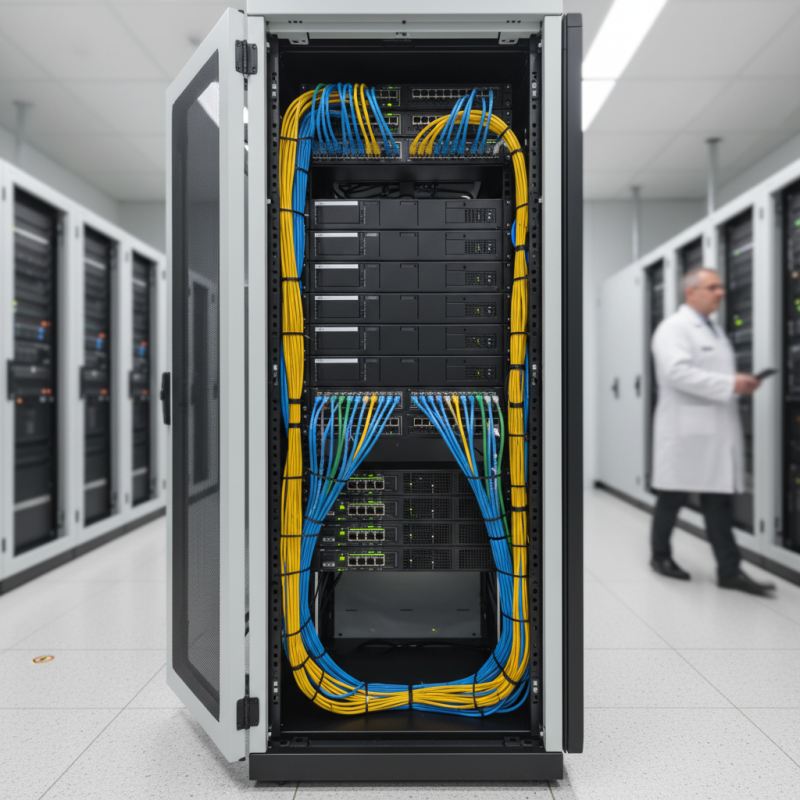
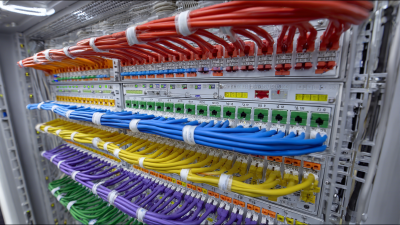
When setting up a patch panel, consider its installation environment. Ensure it is mounted securely. Adequate space around the panel is also essential. This allows for easy access when making changes. Overcrowded spaces can lead to difficulty in maintenance. Think about airflow and cable management. Choosing a location that minimizes cable clutter is critical.
Regular maintenance is necessary to keep the network running smoothly. Check connections periodically. Loose connections can cause performance issues. It’s also vital to label cables accurately. A disorganized setup can lead to confusion during troubleshooting. Documenting any changes you make is equally important. Reflecting on past installations helps prevent repeated mistakes. Use tools to assist in the maintenance process, but be aware that they may not cover all scenarios.