Top 10 Tips for Choosing Cat 6 Network Cable?
Choosing the right Cat 6 network cable can significantly impact your network performance. As industry expert Dr. John Stevens once stated, "Investing in quality cables is crucial for seamless connectivity." A reliable Cat 6 network cable ensures faster data transfer and minimizes interference.
When selecting a cable, consider factors like length, shielding, and connectors. For instance, unshielded cables are typically cheaper but may not perform well in areas with high electronic interference. The choice of connectors can also influence the overall performance of your setup.
It's essential to reflect on your specific needs. Are you setting up a home office, or are you upgrading a more extensive network? Not all Cat 6 cables are created equal. Some may not meet the required standards. Be wary of over-promising claims from various manufacturers. Choose wisely to avoid future headaches.
Understanding the Basics of Cat 6 Network Cable
When considering Cat 6 network cables, it's vital to understand their design and capabilities. Cat 6 cables are built to support data rates up to 10 Gbps. This allows for faster internet and smoother streaming experiences. The cable’s construction includes tightly wound pairs of wires. This reduces interference and enhances signal quality.
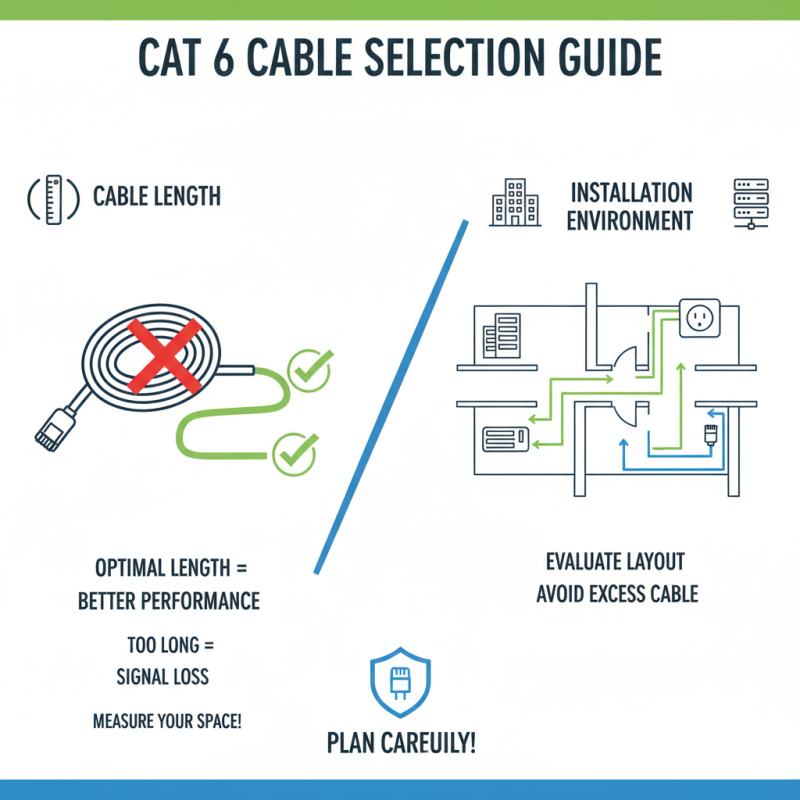
Many consumers overlook the importance of cable length. Longer cables can degrade signal strength. A distance of up to 100 meters is typical for optimal performance. Users should also assess the environment where the cables will be used. For example, outdoor settings require durable materials to withstand harsh conditions. Indoor setups may have different needs.
Another aspect that people often miss is the category rating. Cat 6 is different from Cat 5e. Each category offers varying performance specifications. Not all cables labeled as Cat 6 fulfill these standards. Buyers should check the specifications carefully. Quality matters more than just the stated category. In the end, choosing the right cable is about understanding details and requirements.
Identifying Your Networking Needs for Optimal Performance
When choosing a Cat 6 network cable, understanding your networking needs is crucial. Consider the speed you require. For online gaming or HD streaming, a higher speed is essential. A bad choice can lead to frustrating lag and buffering.
Evaluate your environment. Are you using the cable indoors or outdoors? Indoor cables have different insulation compared to outdoor ones. If you overlook this, you might need to replace your cables sooner than expected.
Think about the length you need. Longer cables can lead to signal degradation, especially over large distances. Keep it concise. A shorter cable often means better performance. Assess whether you really need the extra length. It’s okay to reconsider your setup. Weigh all factors before making a choice, as this will impact your network efficiency.
Comparing Different Cat 6 Cable Brands and Types
When selecting Cat 6 network cables, it's essential to compare various brands and types. Not all cables are created equal. Some may promise high speed but fall short in real-world performance. Look for detailed specifications, especially the bandwidth and data transmission rates. A solid Cat 6 cable should support up to 10 Gbps at 250 MHz. However, many lower-end options might not deliver this consistently.
Consider the materials used in construction. Many cables have different shielding options. For example, unshielded twisted pair (UTP) cables are common yet can struggle in high-interference environments. Shielded twisted pair (STP) cables can better manage external noise, but they tend to be pricier. Installation environment matters too; cables meant for outdoor use will typically have tougher sheathing.
Also, pay attention to the cable length. Long cables can lead to signal degradation. Testing different brands may reveal that some perform better than expected while others disappoint. This can lead to frustration. Aim to test in your specific network setup. Connecting devices directly will provide a clearer picture of what works best for you. Remember, what works for one setup may not work for another. Choices should be well thought out.
Top 10 Tips for Choosing Cat 6 Network Cable
| Tip |
Description |
Cable Type |
Max Bandwidth |
Price Range |
| 1. Check Cable Length |
Ensure the cable length meets your needs without unnecessary slack. |
Standard |
Up to 250 MHz |
$10 - $30 |
| 2. Look for Quality Materials |
Choose cables with high-quality copper for better performance. |
Shielded |
Up to 250 MHz |
$15 - $40 |
| 3. Check for Certification |
Select cables that meet FCC or ISO standards. |
Cat 6a |
Up to 500 MHz |
$25 - $60 |
| 4. Review User Ratings |
Consider products with strong positive feedback. |
Flat |
Up to 250 MHz |
$12 - $35 |
| 5. Consider Installation Environment |
Choose cables rated for in-wall, outdoor, or indoor use. |
CMR/CMX |
Up to 250 MHz |
$20 - $50 |
| 6. Check for Compatibility |
Ensure compatibility with your existing network hardware. |
Standard |
Up to 250 MHz |
$10 - $30 |
| 7. Evaluate Future Proofing |
Consider a higher category for future speed upgrades. |
Cat 6a |
Up to 500 MHz |
$25 - $60 |
| 8. Review Return Policy |
Check if returns are allowed for faulty products. |
All Types |
Varied |
Varied |
| 9. Look for Bulk Purchase Options |
Bulk options can save money for larger installations. |
Spools |
Up to 250 MHz |
$100 - $300 |
| 10. Consider Aesthetics |
Choose colors that blend with your home or office decor. |
Flat |
Up to 250 MHz |
$15 - $45 |
Considering Future-Proofing with Enhanced Specifications
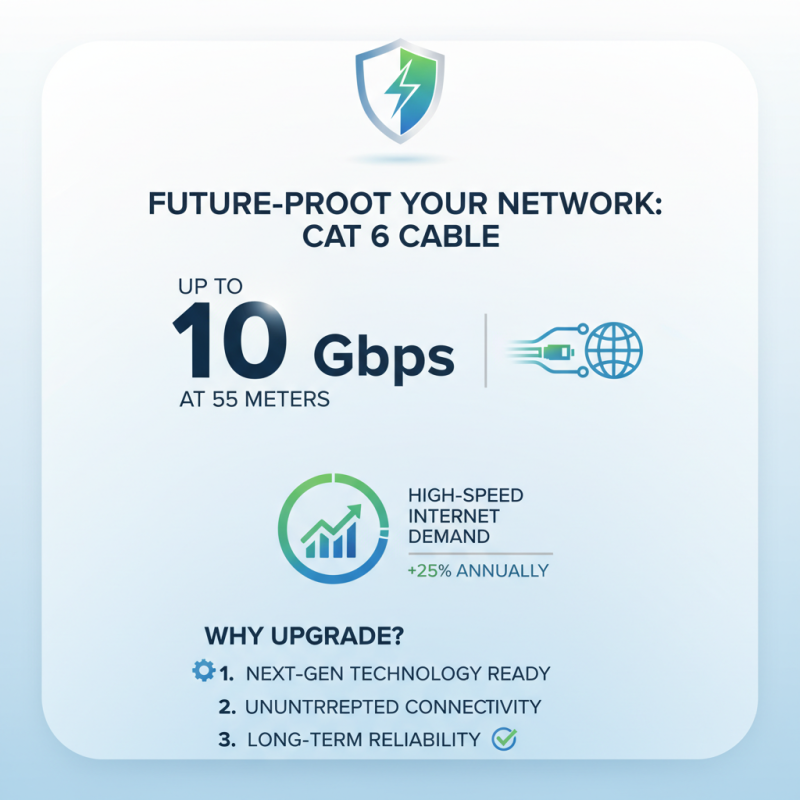
When choosing a Cat 6 network cable, future-proofing is crucial. Enhanced specifications can prepare your network for upcoming technologies. Reports indicate that the demand for high-speed internet is expected to grow by 25% annually. Investing in cables that support up to 10 Gbps at 55 meters can ensure your infrastructure remains relevant.
Opt for cables with better shielding. This can minimize interference, especially in densely wired environments. The overall performance can drop significantly if signals are disrupted. Remember, not every installation will provide the ideal environment where cables can thrive. Consider factors like physical layout and electrical interference around your cables.
Additionally, aim for durability. Materials used can affect longevity and performance under stress. While a cheaper choice may seem appealing, failures can lead to frustrating downtime. Research shows that cabling quality can influence data transmission efficiency, impacting overall speed by as much as 30%. Investing in Cat 6 cables that meet standards is not just smart; it’s essential for sustainable network performance.