Essential Tips for Choosing the Right Network Patch Cable?
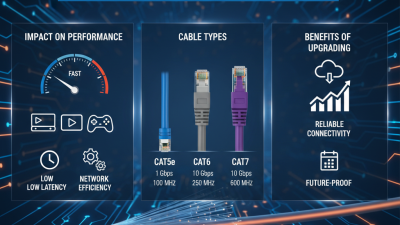
In today's digital landscape, the choice of a network patch cable is crucial for optimal connectivity and performance. According to a study by Teleco, about 70% of network issues are linked to poor cable choices. Selecting the right cable can enhance data transmission speeds and reduce latency significantly. For instance, using a Category 6 (Cat 6) cable can support speeds up to 10 Gbps over short distances, whereas a Cat 5e cable is limited to about 1 Gbps.
The importance of a reliable network patch cable is underscored by a report from Cisco, which states that network downtime can cost an organization up to $5,600 per minute. Given this context, businesses must weigh factors such as length, category, and shielding while making their cable selections. However, many overlook these key considerations, leading to potential long-term repercussions. When assessing cables, one must reflect on both current needs and future scalability. This holistic approach can prevent costly mistakes down the line.
Understanding Network Patch Cables: Types and Uses
Understanding network patch cables is crucial for any network infrastructure. These cables connect devices like computers and switches. There are several types of patch cables, including Cat5e, Cat6, and Cat6a. Each type has different transmission speeds and bandwidths. For example, Cat6 cables support speeds up to 10 Gbps over short distances, according to industry reports. Choosing the right type is essential to optimize your network performance.
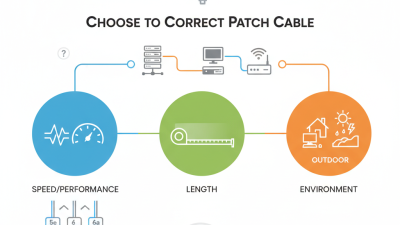
When selecting a patch cable, consider length and environment. A longer cable can lead to signal degradation. The environment also matters; cables installed outside require UV protection and weather resistance. According to a survey, 30% of network issues arise from poor cable management. Keep cables organized to minimize confusion and potential failures.
Here are a few tips for selection: Look for cables that meet your network's speed requirements. Ensure the connectors are compatible with your devices. Check for certification marks that indicate quality standards. Many professionals recommend testing your cable before full deployment. This practice can help avoid costly downtime later.
Factors to Consider When Selecting a Patch Cable
When selecting a network patch cable, several key factors should guide your decision. The cable's category is critical for ensuring optimal performance.
For instance, Category 5e cables can transmit data up to 1 Gbps, while Category 6 cables support speeds of up to 10 Gbps over shorter distances. Statistics indicate that using the correct cable type can reduce network latency by up to 50%.
Another important aspect is cable length. Shorter cables often provide better signal quality. However, cables longer than 100 meters may experience significant degradation, leading to connection issues. A report from the International Telecommunication Union highlights that 70% of network problems stem from improper cabling, underscoring the importance of choosing the right length.
Lastly, shielding and construction quality contribute to performance. Shielded cables can minimize interference, especially in environments with high electromagnetic interference (EMI). As a result, choose cables with solid connectors to enhance durability. Poorly made cables can lead to costly downtime, which can be frustrating for users. Always prioritize quality over cost when selecting a patch cable to ensure reliable network performance.
Evaluating Cable Length and Its Impact on Network Performance
When selecting a network patch cable, cable length plays a crucial role in overall performance. Longer cables can introduce latency and signal loss. Ideally, you should keep cable lengths as short as possible while still meeting your needs. However, this can sometimes be challenging, as equipment may not always be conveniently located.
Consider the environment where the cable will be used. For instance, if the cable runs across an office space, you might require a longer length to connect two devices. Be cautious; excessive length can lead to a weaker signal, especially in high-speed networks. Testing different lengths may reveal whether your network suffers from lag or disconnections.
When choosing a length, always measure twice. A simple mistake in measurement can lead to frustration. Running a cable that’s too long can become a visual nuisance or even affect the speed negatively. Aim for a cable length that balances neatness and functionality. Remember, a properly dimensioned cable enhances performance, reduces clutter, and minimizes future network issues.
Determining Cable Quality: Categories Explained
When choosing a network patch cable, understanding the categories is crucial. Categories determine the cable quality and performance. For instance, Cat5e cables can handle speeds up to 1 Gbps, while Cat6 cables support 10 Gbps over short distances. This difference indicates that Cat6 is more suitable for modern high-speed applications.
A study by the Fiber Broadband Association highlights that more than 80% of new installations use Cat6 or higher categories. This trend is not unexpected, given the increasing demand for faster internet and reliable connections. However, not everyone is aware of the significance of a cable's category. Using inferior cables might lead to slower speeds and connection issues, which can be frustrating.
It's essential to consider the environment where cables are installed. Cables in a high-interference area may require better shielding for optimal performance. In some cases, users might overlook minor details like cable length and installation method. A mismatch here can lead to performance drops, emphasizing the need for careful selection. The right category ensures not just speed but also reliability, ultimately contributing to improved network performance.
Essential Tips for Choosing the Right Network Patch Cable
| Category |
Maximum Bandwidth (MHz) |
Maximum Data Rate (Gbps) |
Suitable for |
| Category 5e |
100 |
1 |
Basic home and office networking |
| Category 6 |
250 |
1-10 |
Gaming, HD streaming, flexible environments |
| Category 6a |
500 |
10 |
Data center applications, POE devices |
| Category 7 |
600 |
10 |
High-speed networks, enterprise settings |
| Category 8 |
2000 |
25-40 |
Data centers, future-proofing |
Importance of Connectors and Shielding in Patch Cables
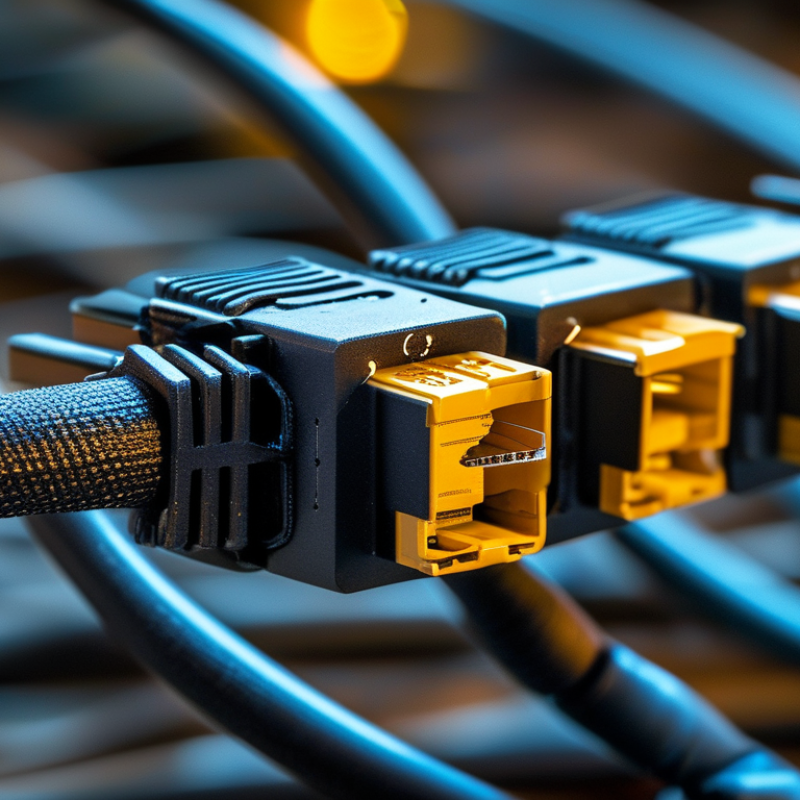
When selecting the right network patch cable, understanding connectors and shielding is crucial. Connectors link devices to the network. Poor-quality connectors can lead to signal loss. A study by the International Telecommunication Union shows that improper connections are a common cause of network downtime.
Shielding plays an essential role as well. It protects cables from electromagnetic interference. According to a report by the Institute of Electrical and Electronics Engineers, shielded cables can reduce interference by up to 90%. This is vital in environments with heavy machinery. Choosing unshielded cables in such settings can result in poor performance.
**Tips:** Ensure connectors follow the latest standards. Look for connectors with gold plating for better conductivity. Consider environmental factors; shielded cables might be necessary in more challenging settings. Always keep cable length in mind; shorter cables generally perform better.