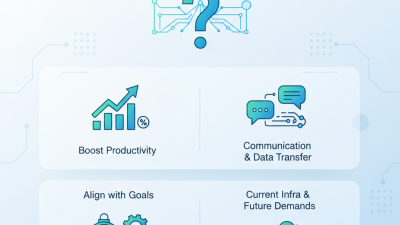
Why Do Businesses Need Networking Solutions?

At 8:57 on a busy Monday, a sales team may be waiting for customer records to load while a video meeting freezes in another room. These small interruptions reveal how much daily work depends on reliable connections. Networking solutions link devices, users, applications, and locations so information can move where it is needed. They may include wired and wireless networks, routers, switches, secure remote access, and tools for monitoring performance.

A well-planned network can help staff share files, communicate with customers, and use cloud services with fewer delays. It also gives businesses a way to manage access, protect sensitive information, and support growth without replacing every system at once. The right design depends on the organization: a small office with a handful of employees has different needs from a company operating across several sites. There is no single setup that fits everyone.

Good decisions start with practical questions: Which applications are essential? Where do slowdowns occur? What happens when an internet link or device fails? A qualified IT professional can assess existing equipment, security requirements, and future demand before recommending changes. Even then, plans need review as teams and workloads change. Networks are not “set and forget.” A carefully chosen networking solutions strategy can improve everyday operations, but it cannot remove every outage or human error. Knowing its limits is part of making it dependable.

Why Do Businesses Need Networking Solutions?

What Networking Solutions Include

Networking solutions include the physical and digital systems that let employees, devices, offices, and cloud services communicate. A typical setup combines switches and routers, wired Ethernet, business Wi-Fi, internet connections, and secure links between locations. It may also include network design, installation, configuration, and ongoing support. Details matter. A warehouse scanner needs reliable coverage among metal shelves; a video meeting needs steady bandwidth and low delay. Firewalls, remote-access controls, traffic monitoring, and backup internet links can add security and resilience. The right mix depends on how people actually work, not just what looks neat on a diagram.

Network monitoring can flag failing equipment or unusual traffic, while access controls limit who can connect. Cloud connections and software-managed wide-area networks can support teams spread across several sites, but poor configuration can still leave gaps.

Uptime Institute’s 2024 outage analysis found that 54% of respondents’ most recent significant outages cost more than $100,000, and 16% cost more than $1 million. These figures cover data-center outages, not networking alone, but they show why tested recovery plans matter.

A network map is useful only when it reflects the real setup.

Tips: Request a site survey, a clear network diagram, and written targets for Wi-Fi coverage, uptime, and support response. Test guest access and backup connections before peak hours. Keep it simple.

How Business Networks Support Daily Operations

A business network is the quiet infrastructure behind ordinary work. It connects a cashier’s terminal to payment systems, lets staff open shared files, and carries video calls between offices. When these links are reliable, teams can move between tasks without waiting for data to load or reconnecting to a meeting. Small delays add up.

Networks also shape how safely people access information. Verizon’s 2024 Data Breach Investigations Report analyzed 30,458 security incidents and found that 68% of breaches involved a non-malicious human element, such as an error. Clear access controls and separated network areas can limit the impact of mistakes. They cannot prevent every one. Still, they give IT teams better visibility when unusual activity appears. IBM’s 2024 Cost of a Data Breach Report put the global average breach cost at $4.88 million, underscoring the business stakes of protecting connected systems.

Good network planning must account for real working conditions: a crowded conference room, a warehouse scanner moving between access points, or a remote employee connecting over home Wi-Fi. Capacity, backup connections, and routine monitoring help keep those daily tasks moving. But more bandwidth is not always the answer. A confusing login process or poorly placed access point can frustrate staff, even on a fast connection. That part is easy to overlook.

How Connectivity Improves Communication and Collaboration

A dependable business network gives conversations room to happen without constant interruptions. Staff can join video calls, share files, and update the same project documents from different locations. When a connection is unstable, voices break up and shared screens freeze. Small delays can turn a quick decision into several follow-up messages.

Good network design also helps teams reach the information and people they need. For example, a warehouse employee might check stock on a tablet while an office colleague updates an order. Clear access rules help employees use appropriate files without exposing every system to everyone. Network capacity matters, too: a busy afternoon with video meetings and large file transfers can strain equipment that worked fine on a quiet morning. Measure actual usage before deciding what to upgrade.

But connectivity alone does not create good collaboration. A well-connected team can still lose track of decisions or overwhelm colleagues with notifications. Even a smooth call can go nowhere. Businesses should review where communication stalls, then match network improvements to real work patterns. That review may reveal an awkward truth: the problem is sometimes unclear ownership, not slow Wi-Fi. Keep checking both. For instance, note whether calls drop in one meeting room, whether remote staff struggle to access shared files, and whether those issues persist after changes. A little friction may remain, and that is worth noticing.

How Network Security Protects Business Resources

Businesses rely on networks to share files, process orders, and connect staff across locations. Network security protects these resources from unauthorized access, accidental exposure, and disruptive malware. A secure network separates sensitive systems from guest Wi-Fi and limits access to people who need it. For example, a payroll folder should not be visible to every employee. That simple boundary can prevent a small mistake from becoming a costly incident.

Useful protections include strong, unique passwords, multi-factor authentication, and prompt software updates. Firewalls can filter unwanted connections, while encrypted connections help protect data moving between offices and remote workers. Monitoring login activity may reveal unusual access, such as repeated attempts late at night. Still, alerts only help when someone reviews them. No setup is perfect, and overly strict access rules can slow legitimate work. Businesses should revisit permissions as roles change, rather than assuming old settings still make sense.

Tips: Give each employee an individual account, remove access when responsibilities change, and keep offline backups of important files. Test recovery before an emergency; a backup that cannot be restored offers little comfort. Keep the process practical, and review it regularly.

How Scalable Networks Support Business Growth

A growing business rarely expands in a straight line. One month, six employees share a small office; months later, sales staff work remotely and a second site comes online. A scalable network accommodates added users, devices, and locations without replacing every component. That flexibility reduces disruption.

In practice, capacity is more than a faster internet plan. Network teams assess peak traffic, Wi-Fi dead zones, and applications that cannot tolerate delays, such as video meetings or inventory systems. They can separate guest access from internal tools and prioritize essential traffic. Leave room for growth. A network dashboard can reveal rising usage before slow logins become daily complaints.

Good design also includes spare capacity and clear recovery steps. If a router fails during a busy afternoon, documented settings and a backup connection can help staff keep serving customers. Security controls should scale too, with access based on job needs and regular reviews as roles change. Not every business needs complex hardware. Overbuilding wastes money, while undersizing creates friction; forecasts are useful, but they are still guesses. Review actual usage quarterly, and adjust when the business changes.

Why Do Businesses Need Networking Solutions?

How scalable networks support business growth

Global internet use rose from about 29% in 2010 to 67% in 2023. As more people and services rely on digital connectivity, scalable networks help businesses support growing traffic, new locations, and changing workloads.

Source: World Bank and International Telecommunication Union (ITU), individuals using the Internet (% of population). Figures are rounded.