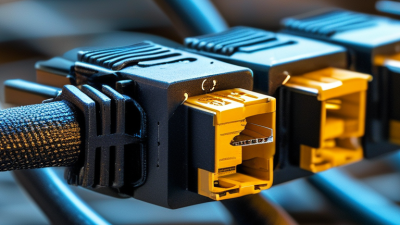
Top Tips for Choosing the Right Network Patch Cable?
Choosing the right network patch cable can significantly impact network performance. According to a recent industry report by Research Nester, the global demand for network cables is projected to grow at a CAGR of 8% from 2021 to 2028. With this growth, selecting the appropriate cable becomes essential for both businesses and home networks.
Network patch cables vary in types and specifications. For instance, Cat5e, Cat6, and Cat6a cables provide different speed and bandwidth capabilities. Cat6 cables support up to 10 Gbps, demonstrating their increasing importance in high-speed networks. However, many consumers still overlook factors like cable length and shielding options, which can lead to slow connections or data loss.
It's critical to recognize that not all cables are created equal. Misunderstanding specs can result in suboptimal choices. For example, using an outdated cable type in a high-speed environment creates bottlenecks. We need to reflect on our choices carefully. Selecting a network patch cable requires more than just picking the cheapest option; it demands attention to detail and understanding of your network's needs to ensure reliability and efficiency.
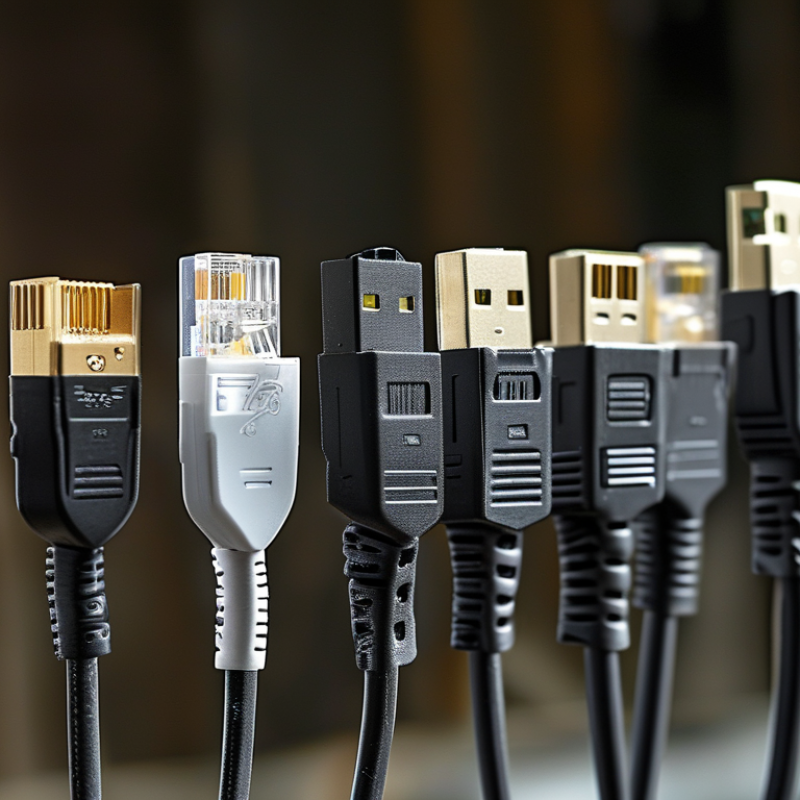
Understanding Network Patch Cables and Their Use Cases
Network patch cables play a crucial role in connecting various networking devices. They facilitate communication between routers, switches, and computers. Selecting the right cable ensures optimal performance and reliability in your network. Understanding different types of cables is essential for effective networking.
There are many types of network patch cables, primarily categorized as Cat5e, Cat6, Cat6a, and beyond. Each category represents performance in speed and bandwidth. Cat5e cables support up to 1 Gbps, while Cat6 can handle up to 10 Gbps speeds. These technical specifications highlight the importance of choosing appropriate cables for your needs.
Cable length matters too. Short cables minimize signal loss, but excessively long cables can degrade performance. For example, using a 50-foot cable for a short distance may lead to unnecessary latency. Reflecting on these factors can lead to improved network efficiency and a better user experience. Selecting the right patch cable is not just a technical choice; it’s a step toward building a robust network infrastructure.
Factors to Consider When Selecting Network Patch Cables
Choosing the right network patch cable involves understanding several key factors. Cable category is crucial. The Cat rating indicates data transfer speed. For example, Cat 5e supports up to 1 Gbps, while Cat 6 can reach 10 Gbps. Users often overlook this, yet it significantly impacts performance.
Cable length is another vital consideration. Longer cables can experience signal loss. Standard lengths usually vary from one to fifty meters. If your setup requires extra length, consider the potential for degraded performance. This often doesn't get enough emphasis in advice.
Shielding is also important. Unshielded cables are common but less effective in environments with interference. Shielded cables provide better protection. For instance, if you're in a busy office, shielding might be necessary. Reflecting on these factors can prevent issues later. You may find that a seemingly small choice could lead to bigger productivity challenges.
Comparing Cat5e, Cat6, and Cat6a Cables for Your Network Needs
When selecting the right network patch cable, understanding the differences between Cat5e, Cat6, and Cat6a cables is essential. Cat5e cables support speeds up to 1 Gbps and a bandwidth of 100 MHz. They are commonly used for basic networking needs. However, they may not handle high-speed data transfer efficiently in large networks. Reports indicate that while Cat5e is a cost-effective choice, it may become a bottleneck as network demands increase.
Cat6 cables offer a significant advantage. They support speeds up to 10 Gbps over short distances and have a bandwidth of 250 MHz. This improvement is crucial for modern applications, including streaming and online gaming. However, Cat6 cables can also be more sensitive to interference. A recent study highlighted that in environments with many electronic devices, using shielded Cat6 cables can reduce signal loss.
For those looking for future-proofing, Cat6a cables extend the bandwidth up to 500 MHz and maintain speeds of 10 Gbps over longer distances. They are designed to minimize crosstalk and interference, making them ideal for data centers and enterprise networks. Nevertheless, their thicker design can complicate installation in tight spaces. Evaluating your network requirements against these cables' specifications will ensure optimal performance for years to come.
Top Tips for Choosing the Right Network Patch Cable
| Cable Type |
Max Data Rate |
Max Bandwidth |
Max Length |
Typical Use Cases |
| Cat5e |
1 Gbps |
100 MHz |
100 meters |
Home networking, small office |
| Cat6 |
10 Gbps |
250 MHz |
55 meters (10 Gbps) |
Gaming, high-speed tasks |
| Cat6a |
10 Gbps |
500 MHz |
100 meters |
Data centers, enterprise networks |
The Importance of Cable Length and its Impact on Performance
When selecting a network patch cable, the length is a crucial factor that significantly affects performance. An overly long cable can lead to increased latency and potentially weakened signal strength. Data from the Electrical and Electronics Engineers (IEEE) indicates that using cables longer than 100 meters can result in a decline in data transmission rates. This is particularly important for high-speed networks where every millisecond counts.
On the other hand, shorter cables tend to provide better performance due to lower capacitance and reduced signal degradation. It is recommended that users aim for the shortest feasible length to maintain optimal speed and reliability. A study by the Telecommunications Industry Association (TIA) shows that a 5-meter cable can offer better performance than a 15-meter cable in terms of signal integrity. However, one must also consider the practical aspects of setup, as excessively short cables can lead to complications in organization and accessibility.
While striving for ideal cable length, it’s essential to balance between performance and practicality. Some users might overlook this detail, leading to frustrating network issues. Reflecting on common mistakes can help in making better choices. Ensuring your cable length aligns with both your layout needs and performance requirements is vital for a smooth networking experience.
Impact of Cable Length on Network Performance
Identifying Quality Indicators in Network Patch Cables
When selecting a network patch cable, identifying quality indicators is crucial. A well-made cable should have a robust outer sheath. This material protects the inner copper wires from damage. Look for cables with twisted pairs. This design helps reduce interference. Quality insulation also impacts signal integrity.
Another key indicator is the cable's category rating. Cables are categorized, such as Cat5e, Cat6, or Cat6a. Higher categories support greater speeds and bandwidth. Be cautious about using lower-rated cables in high-demand environments. They may not perform well and can create bottlenecks.
Check for connectors that fit tightly without loose connections. Poorly fitted connectors can disrupt data transmission. It's worthwhile to invest a bit more in cables with a solid warranty. A lengthy warranty often reflects the manufacturer's confidence in their product. Pay attention to user reviews as well. They provide real-world insights into cable performance and reliability.