Choosing a cat 6 network cable can look simple until you compare jacket labels, conductor materials, shielding, and plug types. A low price may catch your eye. Then the cable arrives, and its stiff jacket will not fit the tight bend behind your desk. Small details matter.
Cabling educator Jim Hayes has written extensively about cabling systems. A practical, paraphrased takeaway from his guidance is: “Choose the cable for the link you need, and verify the complete channel—not just the box label.” This is a paraphrase, not a verbatim quotation. It captures an important point: cable performance depends on compatible components, sound installation, and appropriate testing.
This guide covers ten useful buying checks, from solid versus stranded conductors to shielding, jacket ratings, length, and connector quality. Look for clear specifications, including conductor material and compliance claims. For a permanent in-wall run, installation requirements differ from those for a short patch cable beside a router. Avoid judging quality by “Cat 6” printed on the jacket alone. A label does not prove what is inside. Even careful buyers can miss that. Compare the details, match the cable to its location, and leave room for a less glamorous truth: a good cable cannot fix a poorly planned network.
Cat 6 cable is rated for bandwidths up to 250 MHz, but that number is not a promise of maximum speed. It describes the frequency range the cable can support under specified test conditions. For many home and office networks, Cat 6 carries 1 Gbps over runs up to 100 meters. That matters. Actual performance also depends on connectors, installation quality, and the equipment at each end.
Cat 6 can support 10 Gbps over shorter distances, commonly up to 55 meters in suitable conditions. Nearby power cables, tight bends, and poor terminations can reduce performance. The cable’s twist patterns help limit interference between wire pairs, so avoid untwisting them more than necessary when fitting connectors. Not always easy. A rushed termination may look neat yet fail a cable test.
Check the cable’s conductor material, jacket rating, and intended use before buying. Solid copper conductors suit permanent in-wall runs, while stranded conductors are more flexible for short patch leads. Avoid assuming that a thicker cable is automatically better; its construction must match the installation. For outdoor routes, choose a jacket designed for outdoor exposure, and follow local installation guidance. I would still test long or critical runs after installation, because printed specifications cannot reveal a damaged connector or hidden kink.
A cable run should be measured along its real installation route, not as a straight line between devices. Include rises through walls, ceiling detours, cabinet entry, and a small service loop at each end.
ANSI/TIA-568.2-D sets a 100-meter maximum channel length for balanced twisted-pair cabling: typically 90 meters of permanent cabling plus up to 10 meters of patch cords. That is a limit, not a target. Leave room for patching and future moves, but avoid excessive slack that tangles inside a crowded rack.
Walk the route before ordering. Note doorways, tight bends, ceiling obstacles, and where cables must be supported. A plan can look tidy and still miss a difficult corner. Keep data cable away from likely sources of electrical interference, and follow the cable’s installation guidance for bend radius and pulling tension.
Tight bends can damage performance, even when the jacket looks fine. Short runs matter, too. They are easier to label and test. After installation, test each link with suitable certification equipment against the required Cat 6 limits. If the route or termination changes, retest it; the estimate is never the measurement.
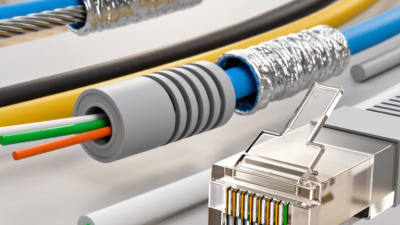
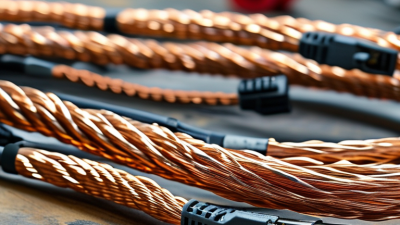
For Cat 6, start with the conductor. Solid bare copper is suited to permanent runs inside walls because it holds a stable connection in punch-down jacks. Stranded copper bends more easily, making it practical for short patch leads that move often. Check the cable markings and product specifications; a low price alone does not confirm conductor quality. Avoid copper-clad aluminum for installations that need dependable Cat 6 performance.
Shielding depends on the route, not just the cable label. Unshielded twisted pair works well in many homes and offices when installed away from strong electrical interference. Near motors, fluorescent lighting, or power cables, shielded cable may help reduce noise. But shielding is not a magic fix. It needs compatible connectors and correct grounding, or the added layer may bring little benefit. I would not choose it automatically.
The jacket deserves the same attention. PVC is common for ordinary indoor runs, while riser- or plenum-rated jackets are required in certain building spaces. Confirm the rating with the site’s installation requirements. For outdoor routes, select a jacket designed for moisture and sunlight; a standard indoor cable can crack or degrade. Feel the cable before buying, too. If it seems unusually stiff, tight bends may be awkward. That small detail is easy to overlook.
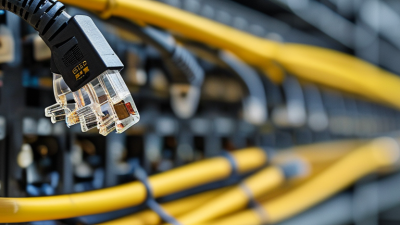
Before buying a Cat 6 cable, check the ports on both devices. Most Ethernet connections use an eight-contact plug commonly called RJ45, but the port must still be Ethernet, not a similar-looking telephone jack. A plug that fits is not proof of a good connection. It is easy to overlook.
Match the cable’s connector to its construction. Some plugs are designed for solid conductors, others for stranded wire, and some support both. The product specifications should state which cable types and conductor sizes fit. If the plug will be installed by hand, check that its contacts and strain relief suit the cable’s outer jacket. A loose termination can cause intermittent link drops, even when the cable looks fine.
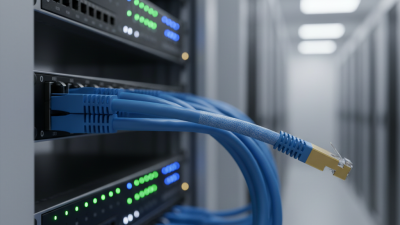
Also inspect your router, switch, computer, or other network equipment. A Cat 6 cable cannot make a slower port run faster; the negotiated connection depends on every link in the path. For example, a 1 Gigabit port remains the limit even with a higher-rated cable. For longer runs or power over Ethernet, follow the equipment’s stated limits and use compatible cabling. I would not assume every Cat 6 cable behaves alike—specifications and installation quality matter.
A Cat 6 cable should meet recognized category specifications, but a printed label alone is not proof. Check the supplier’s test documentation and confirm whether it covers the cable itself or a complete installed channel. That distinction matters. A channel test includes connectors and patch cords, which can affect performance. For demanding installations, ask for results from a calibrated cable certifier, not just a basic continuity check. Continuity only confirms that wires connect; it does not verify transmission performance.
Durability depends on where the cable will run. For a tight cabinet, inspect the jacket, connector strain relief, and stated bend-radius guidance. A cable that kinks behind a desk may work today and fail later. For outdoor or damp locations, verify that the jacket is rated for that environment; ordinary indoor cable may not hold up. Also check conductor material and construction details, especially for long permanent runs. Solid conductors suit fixed cabling, while stranded cable is more flexible for patch leads. Small details matter. Packaging can look convincing, and even careful checks can miss a weak connector or inconsistent batch. I would compare the specification sheet with the actual cable markings before buying. It takes a minute.