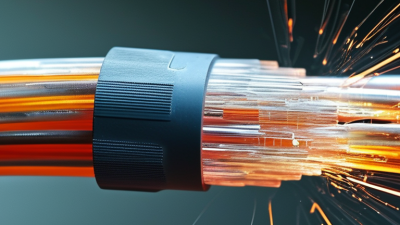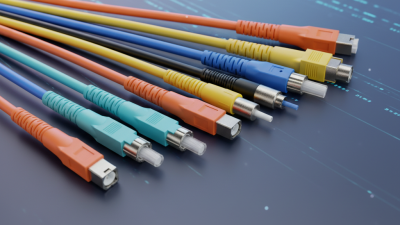
A fiber network cable carries data as pulses of light through extremely thin glass or plastic strands. Unlike copper wiring, it does not send information as electrical current. A transmitter converts digital signals into light, while a receiver changes them back into usable data. The cable’s core guides the light, and its surrounding cladding helps keep that light moving forward through internal reflection.
The principle sounds simple. Installation is not.
In a real network room, technicians inspect connector ends, bend radius, cable labels, and optical power readings. A dusty connector can weaken a signal, even when the cable looks perfect. Excessive bending may create hidden losses. These details explain why professional testing matters more than appearance. Industry practices from organizations such as TIA and ISO/IEC support consistent cabling design, testing, and documentation.
A fiber network cable may use single-mode fiber for long-distance links or multimode fiber for shorter connections inside buildings and data centers. It can support high bandwidth, low latency, and strong resistance to electromagnetic interference. However, fiber is not automatically faster in every installation. Transceivers, switches, connector quality, network design, and distance all affect actual performance.
That distinction matters.
This guide explains what happens inside the cable, how light carries data, and where common installation problems begin. It also examines fiber types, connectors, testing methods, and practical use cases. Some diagrams make fiber communication look effortless, but they leave out maintenance and measurement. A reliable explanation must include both the elegant physics and the inconvenient details found during everyday network work.
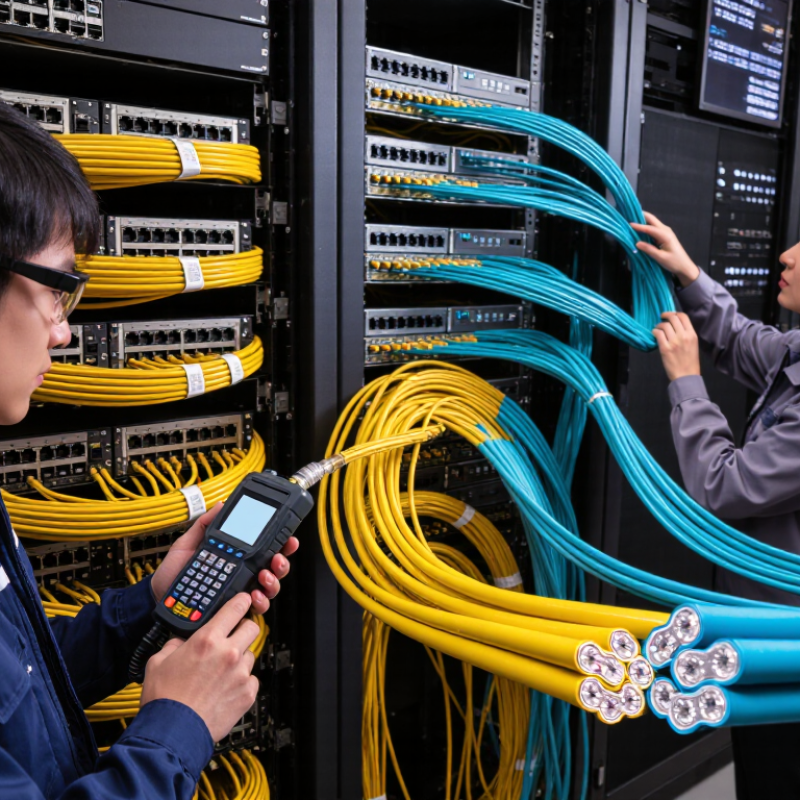
A fiber network cable carries data as pulses of light through a glass core. In a common single-mode design, the core measures about 9 µm across, while the cladding measures 125 µm. This 9/125 µm structure is much thinner than a human hair.
The core guides light along the cable’s center. Optical cladding surrounds it with a lower refractive index, helping light remain inside through total internal reflection. A protective coating then cushions the glass from moisture, vibration, and small impacts. Strength members add pulling resistance, while the outer jacket protects the complete assembly.
Tiny details matter. A sharp bend can scatter light and increase signal loss. Dust on a connector end face can create trouble too. I have seen a clean-looking link fail because one connector was handled without inspection. Simple errors happen.
During installation, technicians check insertion loss with an optical power meter. They may use an optical time-domain reflectometer to locate breaks, bends, or poor splices. Measurements should match the cable’s wavelength and distance requirements. A 9/125 µm cable is often selected for long, high-bandwidth links, but the cable alone does not guarantee performance. Connectors, splice quality, routing, and testing all influence the final result. The specification seems straightforward. Field conditions are not.
A fiber network cable carries data as pulses of light through a thin glass core. The core has a higher refractive index than its surrounding cladding. This difference keeps light inside the core through total internal reflection. When light reaches the core-cladding boundary at a suitable angle, it reflects inward instead of escaping. The signal can then travel many kilometers with low electrical interference.
Most modern optical links use wavelengths near 1310 or 1550 nanometers. At 1310 nm, glass usually produces low chromatic dispersion, which helps preserve pulse shape. At 1550 nm, attenuation is often lower, making it useful for longer transmission distances. A transmitter converts electrical data into rapidly changing light. A receiver detects those changes and restores the original digital information. The process sounds simple, but alignment matters greatly.
A microscopic gap, dirty connector, or sharp bend can weaken the signal. Bend-insensitive designs reduce this risk, but they do not remove it. Technicians should inspect end faces, respect the cable’s bend radius, and measure loss with suitable test equipment. I have found that visual inspection alone can be misleading. A link may appear clean yet fail at higher data rates. Total internal reflection is reliable, not magical. Manufacturing tolerances, modal effects, connector quality, and temperature still influence real-world performance. Tens of thousands of reflections may occur before one light pulse reaches the receiver.
A fiber network cable carries data as pulses of light through thin glass strands. Unlike copper cable, it resists electromagnetic interference and supports high bandwidth over longer distances. Light travels through a core, while the surrounding cladding keeps the signal contained. The cable still needs clean connectors and careful bends. A sharp bend can weaken the signal.
Single-mode fiber uses a very narrow core, usually near 9 micrometers. It guides one light path and commonly reaches about 10 kilometers with suitable optical equipment. This makes it practical for campus links, service-provider connections, and buildings separated by wide roads. Distance depends on the transceivers, wavelength, splices, and signal budget. The 10 km figure is a benchmark, not a guarantee.
Multimode fiber has a wider core, often 50 or 62.5 micrometers. Multiple light paths travel through it, making alignment easier and equipment costs lower in many short links. A 100-meter reach is a familiar planning benchmark for high-speed data center connections. Actual distance can change with fiber grade and transmission speed. I have seen installation plans fail because designers treated 100 meters as unlimited flexibility. It is not. Patch panels, adapters, and extra joints consume margin. A measured link test is more reliable than a confident estimate. Dark fibers can look perfect while hidden loss remains.
What Is a Fiber Network Cable and How Does It Work?
A fiber network cable carries data as pulses of light through glass or plastic strands. In a real server room, the cable connects a transceiver module to a switch port. The transceiver converts electrical signals into light, then converts received light back into electrical data. Clean connectors matter. Dust can weaken the signal and create unstable links.
At 1 Gb/s, fiber links suit office uplinks, storage devices, and longer building connections. A 10 Gb/s link offers more capacity for virtualization, video traffic, and busy access switches. These speeds often use duplex fibers, with one strand sending and another receiving. Technicians should check wavelength, fiber type, and maximum distance before installation. A mismatch may leave the link dark.
Higher-speed networks use parallel or multiplexed transmission. A 40 Gb/s connection may use four optical lanes, while 100 Gb/s commonly uses four lanes at 25 Gb/s each. Modern 400 Gb/s links divide traffic across multiple lanes and require precise transceiver, connector, and switch compatibility. Link speed is not the whole story. Latency, optical power, heat, and cable routing also affect performance. I have seen carefully labeled cables fail because one lane was bent too sharply. Specifications can look perfect on paper, yet installation habits still decide reliability.
| Nominal Link Rate | Common Ethernet Interface | Optical Medium | Typical Wavelength | Lane Arrangement | Typical Maximum Reach | Transceiver Form Factor | Switch Connection | Fiber Termination |
|---|---|---|---|---|---|---|---|---|
| 1 Gb/s | 1000BASE-SX | Multimode fiber (OM1–OM4) | 850 nm | 1 optical transmit lane + 1 receive lane; NRZ signaling | 275 m on OM1; up to 550 m on OM2–OM4 | SFP | One modular 1 Gb/s port on the switch | Duplex LC is common |
| 1 Gb/s | 1000BASE-LX | Single-mode fiber; multimode operation may require mode-conditioning | 1310 nm | 1 transmit lane + 1 receive lane; NRZ signaling | Up to 5 km on single-mode fiber | SFP | One modular 1 Gb/s port on the switch | Duplex LC is common |
| 10 Gb/s | 10GBASE-SR | Multimode fiber (OM1–OM4) | 850 nm | 1 transmit lane + 1 receive lane; 10 Gb/s NRZ | 33 m on OM1; 82 m on OM2; 300 m on OM3; 400 m on OM4 | SFP+ | One modular 10 Gb/s port on the switch | Duplex LC; short direct-attach assemblies may use a fixed multi-fiber connector |
| 10 Gb/s | 10GBASE-LR | Single-mode fiber | 1310 nm | 1 transmit lane + 1 receive lane; 10 Gb/s NRZ | Up to 10 km | SFP+ | One modular 10 Gb/s port on the switch | Duplex LC is common |
| 40 Gb/s | 40GBASE-SR4 | Multimode fiber (OM3 or OM4) | 850 nm | 4 transmit lanes + 4 receive lanes over 8 fibers; approximately 10 Gb/s per lane | 100 m on OM3; 150 m on OM4 | QSFP+ | One modular 40 Gb/s port; breakout to four 10 Gb/s ports is possible with compatible equipment | MTP/MPO-style 8-fiber connector |
| 40 Gb/s | 40GBASE-LR4 | Single-mode fiber | Four wavelengths near 1310 nm | 4 wavelength lanes combined over 1 transmit pair + 1 receive pair | Up to 10 km | QSFP+ | One modular 40 Gb/s port on the switch | Duplex LC |
| 100 Gb/s | 100GBASE-SR4 | Multimode fiber (OM3 or OM4) | 850 nm | 4 transmit lanes + 4 receive lanes over 8 fibers; approximately 25 Gb/s per lane | 70 m on OM3; 100 m on OM4 | QSFP28 | One modular 100 Gb/s port; breakout to four 25 Gb/s or compatible 10 Gb/s ports may be supported | MTP/MPO-style 8-fiber connector |
| 100 Gb/s | 100GBASE-LR4 | Single-mode fiber | Four wavelengths near 1310 nm | 4 wavelength lanes combined over a duplex fiber pair | Up to 10 km | QSFP28 | One modular 100 Gb/s port on the switch | Duplex LC |
| 400 Gb/s | 400GBASE-SR8 | Multimode fiber (OM3 or OM4) | 850 nm | 8 transmit lanes + 8 receive lanes over 16 fibers; approximately 50 Gb/s per lane using PAM4 | 70 m on OM3; 100 m on OM4 | QSFP-DD or OSFP | One modular 400 Gb/s port; breakout options depend on switch and transceiver support | MTP/MPO-style 16-fiber connector |
| 400 Gb/s | 400GBASE-DR4 | Single-mode fiber | Four wavelengths near 1310 nm | 4 transmit lanes + 4 receive lanes over 8 fibers; approximately 100 Gb/s per lane using PAM4 | Up to 500 m | QSFP-DD or OSFP | One modular 400 Gb/s port on the switch | MTP/MPO-style 8-fiber connector |
| 400 Gb/s | 400GBASE-FR4 / LR4-class | Single-mode fiber | Four wavelengths near 1310 nm | 4 wavelength lanes over a duplex fiber pair; approximately 100 Gb/s per lane using PAM4 | Up to 2 km for FR4-class links; up to 10 km for LR4-class links | QSFP-DD or OSFP | One modular 400 Gb/s port on the switch | Duplex LC |
A fiber network cable carries data as pulses of light through glass, not electrical current. Its performance depends on wavelength, fiber type, connectors, and installed distance. IEEE 802.3 defines Ethernet physical-layer requirements, including supported media and optical link limits. These limits differ across speed, reach, and transceiver class. A generic “fiber cable standard” is therefore too vague.
The 0.3 dB/km figure usually describes fiber attenuation under specified conditions. It means one kilometer can reduce optical power by about 0.3 dB. It does not represent total link loss. A real link also includes connector insertion loss, fusion splices, bends, patch panels, and engineering margin. For example, a 10 km path at 0.3 dB/km contributes about 3 dB before connection losses. Small details matter. A dusty end face can add more loss than expected.
Engineers compare calculated loss with the IEEE 802.3 budget for the selected optical interface. They verify results using a calibrated light source and power meter. OTDR testing can locate reflective events and high-loss sections. The measurement method matters at different wavelengths. Field testing often shows designs passing on paper but failing after poor cleaning or tight bends. That is an uncomfortable reminder. Budgeting should include aging, repairs, temperature, and future patching. A 0.3 dB/km specification is useful only when its test conditions and remaining margin are clearly recorded.
IEEE 802.3 fiber Ethernet standards specify different maximum link distances depending on the optical transceiver and fiber type. The values shown represent commonly specified maximum reaches for the listed fiber combinations.
For a simple loss-budget example, fiber attenuation of 0.3 dB/km produces 3.0 dB of fiber loss over 10 km. If a 3.0 dB optical budget includes two connectors with a 0.75 dB allowance each, the remaining budget supports approximately 5 km of fiber before other splice, patch-panel, and safety-margin losses are included.