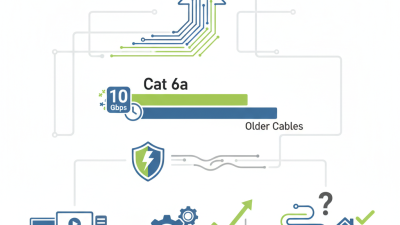
Choosing the best cat 6a cable is not simply a matter of buying the highest-priced reel. It requires matching performance, installation conditions, and future network plans. A cable that looks impressive on a product page may still fail inside a crowded tray or poorly ventilated rack.
The Telecommunications Industry Association recognizes Category 6A as suitable for 10GBASE-T transmission across a 100-meter channel. ISO/IEC 11801 also defines structured cabling requirements for high-speed enterprise networks. Meanwhile, Grand View Research reported that the global structured cabling market was valued at approximately USD 15.45 billion in 2022, with continued growth expected through 2030. These figures suggest strong demand, but they do not make every cat 6a cable equal.
Valerie Maguire, a recognized cabling standards expert at The Siemon Company, has stated, “Cat 6A is the first cabling category to support 10GBASE-T over the full 100-meter channel.” That practical point matters. Look beyond bandwidth claims. Check conductor size, jacket rating, bend radius, shielding, connector compatibility, and PoE performance. A solid 23 AWG copper cable often performs differently from a flexible, smaller-gauge patch cable. Installation details matter.
Very much.
The best choice depends on the room, not only the specification sheet. A data center may need shielded construction and strict alien-crosstalk control. An office may prioritize bend flexibility and easier termination. Even experienced buyers can overlook heat, bundle size, or future moves. That is where careful testing, verified certification, and honest supplier documentation become essential.
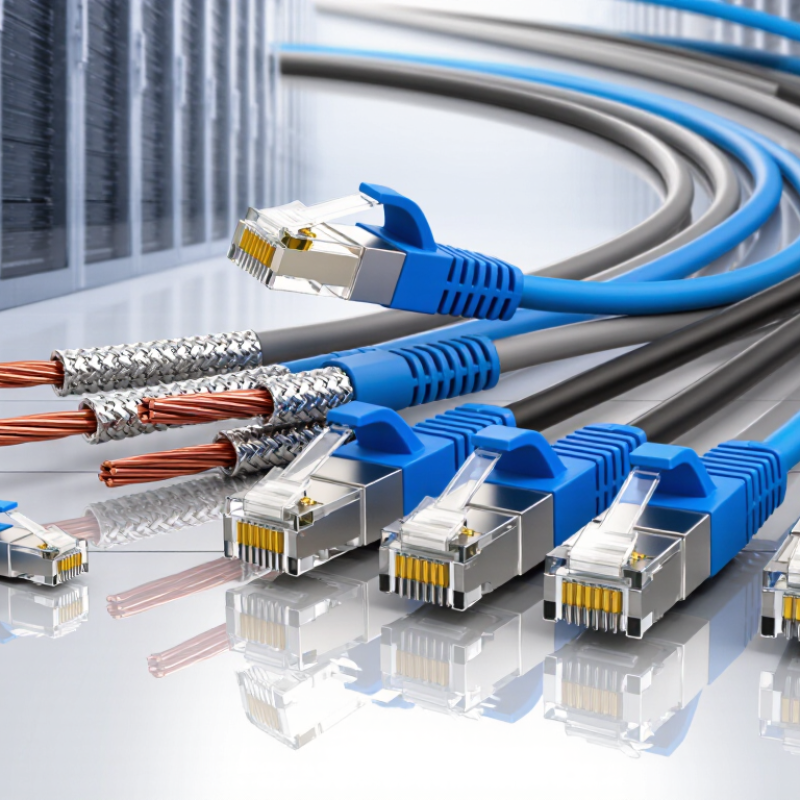
Define your network’s speed, distance, and bandwidth requirements before buying cable. Cat 6A supports frequencies up to 500 MHz under ANSI/TIA-568.2-D. IEEE 802.3an specifies 10 Gb/s transmission over channels reaching 100 meters. That distance includes up to 90 meters of permanent cable and 10 meters of patch cords. Measure the actual route, not the straight-line distance. Walls, ceiling trays, and service loops quickly consume extra length. For busy offices, surveillance systems, or storage traffic, 10 Gb/s capacity offers useful headroom. Still, speed alone does not define performance.
Tips: Check the switch, network adapter, and patch-panel ratings. Keep high-power electrical cables separated. Select shielded construction only when grounding is properly designed. Otherwise, it may create confusion rather than protection.
I once focused only on cable category and ignored bundle density. That was a mistake. Large bundles can increase heat and alien crosstalk, especially in crowded pathways. Review the installation environment, bend radius, connector quality, and future expansion plans. The Telecommunications Industry Association’s channel model supports 100-meter links, but poor termination can reduce that practical margin. For a small office, unshielded Cat 6A may be simpler and easier to maintain. A factory floor may need stronger jackets and better resistance to oil or movement. Do not pay for specifications your equipment cannot use. Yet choosing the cheapest cable can limit a later upgrade. Forecast traffic for at least five years, then test a sample link before full installation.
Choosing the best Cat 6A cable starts with its construction, not its label. Cat 6A supports 10 Gb/s Ethernet over channels up to 100 meters and operates to 500 MHz. U/UTP cables have no metallic shield, so they are flexible and easier to terminate. They suit quiet office spaces with separated cable pathways. F/UTP adds an overall foil shield and offers better protection near lighting circuits or machinery. S/FTP uses a braid and individual foil shields. It provides stronger noise control, but requires careful bonding and compatible hardware.
Shielding only works when the entire channel supports it. That includes jacks, patch panels, connectors, and grounding paths. A poorly bonded shield can create uncertainty instead of protection. Check local electrical requirements before installation. Cable design matters too. Solid conductors work well for permanent horizontal runs, while stranded conductors suit short patch cables. Do not force thick cables through crowded trays. Leave room for airflow, especially in PoE installations. Respect the stated bend radius, pulling tension, and separation distance from power cables.
I have seen projects choose shielded cable for every area, then struggle with termination time and limited space. That choice is not always wrong, but it deserves calculation. Measure pathway capacity, expected interference, grounding conditions, and future port density. Test the completed channel with certified equipment. A cable that looks perfect can still fail after sharp bends, loose connections, or excessive untwisting. Small details matter.
How to Choose the Best Cat 6A Cable for Your Network?
Conductor material affects signal stability, heat, and long-term reliability. Choose solid bare copper for permanent installations and Power over Ethernet applications. Copper-clad aluminum may cost less, but it usually offers higher resistance and weaker mechanical performance. I have seen poorly chosen conductors create warm connectors and unstable links. The mistake is easy to make.
Jacket ratings should match the installation environment. CMP cable suits air-handling spaces, while CMR is commonly used for vertical runs. Low-smoke, zero-halogen jackets can be appropriate where smoke and corrosive gases are serious concerns. Always verify local building requirements before purchasing. A suitable jacket protects more than the cable. It protects the building and its occupants.
Tips: Check conductor size, separator design, pair twisting, and drain details. A thicker jacket does not automatically mean better quality. Look for clear markings, consistent geometry, and independent performance testing. Test installed links with certified equipment when possible. During inspections, I also bend a sample gently and examine the termination. Some cables pass visual checks but fail under repeated handling. I still question glossy specifications when construction details remain vague.
Evaluate conductor materials, jacket ratings, and build quality against the core Cat 6A reference requirements.
Choose solid bare copper for permanent-link installations. Copper-clad aluminum is not recognized as compliant horizontal cable for standards-based Cat 6A networks.
CM is intended for general-purpose use, CMR for riser pathways, and CMP for spaces where fire and smoke performance is required. Select the rating required by local codes.
Look for a properly twisted four-pair design, a separator or spline when specified, strain relief, clear category marking, and a solid 23 AWG copper conductor for typical horizontal Cat 6A cable.
How to Choose the Best Cat 6A Cable for Your Network?
Check Compatibility, Standards, and Connector Requirements
Choosing Cat 6A cable starts with compatibility, not appearance. Confirm that your switches, patch panels, network cards, and outlets support Cat 6A performance. A 10Gbps connection can reach up to 100 meters when the complete channel is correctly installed. Check the cable jacket for its rated frequency, usually up to 500MHz. Standards matter.
Look for compliance with recognized cabling standards, such as ANSI/TIA-568.2-D or ISO/IEC 11801. Requirements may differ by region and installation type. Shielded cable needs compatible shielded connectors, patch panels, and proper grounding. Mixing components can create performance problems. I have seen installations fail because a shielded cable ended at an unsuitable unshielded outlet. The cable was excellent. The system was not.
Connector design deserves careful attention. Select plugs and jacks that match the conductor size, insulation diameter, and cable category. Solid-core cable suits permanent runs, while stranded cable works better for flexible patch cords. Check the connector’s contact layout and termination instructions before cutting. Small errors matter. Avoid sharp bends near the connector, and respect the stated bend radius. For Power over Ethernet, verify the cable and connectors support the required power level and temperature range. I once assumed every Cat 6A plug accepted the same cable diameter. That assumption cost time and required re-termination. A tester should confirm wire mapping, insertion loss, and overall link performance after installation.
| Selection Dimension | What to Check | Recommended Requirement | Why It Matters | Common Mistake to Avoid |
|---|---|---|---|---|
| Performance Category | Confirm the cable marking and rated category. | Cat 6A / Category 6A | Cat 6A is designed for 10GBASE-T Ethernet and supports frequencies up to 500 MHz. | Choosing a cable labeled only Cat 6 when the network requires a full 10 Gb/s link over the complete channel. |
| Ethernet Speed | Match the cable to the target network speed. | 1 Gb/s2.5 Gb/s5 Gb/s10 Gb/s | Cat 6A provides the appropriate headroom for 10GBASE-T when the complete cabling channel meets installation requirements. | Evaluating the cable alone without checking patch panels, jacks, patch cords, and network equipment. |
| Maximum Permanent Link | Check the planned horizontal cable length. | Up to 90 m permanent link | Structured cabling commonly uses a 90 m permanent link, leaving up to 10 m for patch cords and equipment cords in a 100 m channel. | Assuming a 100 m horizontal cable run is acceptable before adding patch cords and connection hardware. |
| Maximum Channel Length | Include every cable segment and connection. | Up to 100 m total channel | The channel includes permanent cable, patch cords, outlets, patch panels, and other connecting hardware. | Ignoring extra cable length inside racks, cabinets, wall outlets, or consolidation points. |
| Frequency Rating | Verify the bandwidth specification. | 500 MHz | The 500 MHz rating supports the performance requirements associated with Cat 6A cabling. | Confusing a higher frequency rating with guaranteed performance when the connectors and installation do not meet the same category. |
| Cabling Standard | Look for the applicable structured-cabling standard and test documentation. | ANSI/TIA-568.2-D or ISO/IEC 11801 | Recognized standards define balanced twisted-pair cabling performance, channel structure, and testing expectations. | Accepting vague claims such as “high speed” without a category marking or compliance information. |
| Cable Construction | Check conductor type, conductor size, and jacket design. | Solid copperTwisted pairsAppropriate AWG | Solid copper horizontal cable is intended for permanent installation and generally provides predictable termination and transmission performance. | Using copper-clad aluminum or other non-copper conductors in a permanent Ethernet installation. |
| Shielding Type | Choose the construction according to electromagnetic interference conditions. | U/UTPF/UTPU/FTPS/FTP | Shielded constructions can help control interference, but they require compatible shielded connectors, bonding, and grounding practices. | Installing shielded cable with unshielded hardware or leaving the shielding system improperly bonded. |
| Connector Type | Verify the interface used by switches, patch panels, outlets, and devices. | 8P8C modular connectors commonly called RJ45 | Most copper Ethernet equipment uses an 8P8C modular interface, but the connector and jack should be rated for the same cabling category. | Using a basic connector that is not rated for Cat 6A performance or does not fit the selected cable diameter. |
| Connector Compatibility | Match the connector to cable diameter, conductor type, shielding, and termination method. | Cat 6A-rated jacks, plugs, patch panels, and keystone modules | Category performance depends on the complete permanent link or channel, not only the bulk cable. | Mixing shielded and unshielded components without checking the manufacturer’s wiring and grounding instructions. |
| Wiring Scheme | Use one pinout consistently at both ends. | T568A or T568B | Both schemes support Ethernet when used consistently. The important requirement is correct pair placement and the same scheme throughout the installation. | Combining T568A and T568B randomly, which can create an unintended crossover connection or wiring error. |
| Power over Ethernet | Check the PoE class, cable temperature, bundle size, and installation environment. | Use a standards-compliant Cat 6A system for the planned PoE load | Higher-power PoE increases heat in cable bundles. Cable construction, bundle size, ambient temperature, and local code requirements must be considered. | Assuming every Cat 6A cable supports the same PoE performance regardless of bundle size or temperature. |
| Jacket Rating | Select the jacket for the installation location. | CMCMRCMPLSZH where required | Jacket ratings address fire, smoke, plenum, riser, or low-smoke requirements and must comply with local building codes. | Using a general-purpose cable in a plenum or other location that requires a different safety rating. |
| Bend Radius | Follow the cable manufacturer’s minimum bend-radius specification. | Do not exceed the specified bend limit | Excessive bending can deform pairs and affect insertion loss, return loss, and crosstalk performance. | Forcing the cable into tight corners or sharply bending it near a plug, jack, or patch panel. |
| Installation Environment | Assess interference, moisture, temperature, and physical exposure. | Choose the suitable indoor, outdoor, direct-burial, UV-resistant, or shielded construction. | The environment determines jacket, shielding, water resistance, temperature range, and mechanical protection requirements. | Using an indoor-rated cable outdoors or placing unprotected cable where it may be exposed to moisture or sunlight. |
| Testing and Certification | Require field testing after installation. | Test the installed link with a Cat 6A-capable certification tester | Certification testing verifies the completed link against parameters such as wire map, insertion loss, return loss, and crosstalk. | Relying only on link lights or a basic continuity tester, which cannot confirm full Cat 6A performance. |
| Future Expansion | Consider expected speed, access points, cameras, storage, and switching upgrades. | Use Cat 6A for new fixed cabling where 10 Gb/s or long service life is expected. | Installing a higher-capacity permanent link can reduce the need to replace in-wall cabling during future network upgrades. | Selecting cable based only on today’s switch speed while ignoring the expected life of the building cabling. |
| Practical selection rule: Choose Cat 6A cable, connectors, patch panels, and patch cords as one compatible system; verify the applicable standard, installation environment, wiring scheme, channel length, shielding method, and final certification test results. | ||||
Choosing Cat 6A is less about finding the cheapest box and more about matching the cable to daily demands. Cat 6A can support 10Gbps transmission over up to 100 meters when installed correctly. That distance includes patch cords and connections, not only the cable in the wall. Check the datasheet for 500 MHz performance, conductor size, jacket rating, and tested length. Small details matter.
For a server room with power cables nearby, shielding can reduce electromagnetic interference. However, shielded systems need compatible connectors and proper grounding. For ordinary offices, unshielded solid copper cable may offer better value and simpler termination. Avoid copper-clad aluminum, even when its price looks attractive. It can create higher resistance, weaker connections, and disappointing results at longer runs. Budget for patch panels, keystone jacks, testing, and labor. Buying cable alone is a false saving.
Future growth deserves a practical calculation. Map expected access points, cameras, workstations, and uplink needs before ordering. Choose a cable with an appropriate fire rating for the building. Keep bend radius and pulling tension within the manufacturer’s limits. After installation, certify every permanent link with a calibrated field tester. Save the test reports. They provide evidence when performance questions appear months later. I would still review the design after installation; real pathways often differ from drawings. That imperfect step can prevent expensive rework.