Why Are Network Cabinets Important?
Why are network cabinets important? A network can depend on equipment that is easy to overlook: switches, patch panels, routers, and their connecting cables. In a busy server room, these components need more than a shelf. Network cabinets provide a defined space to mount and organize equipment, helping technicians identify connections and work more safely during maintenance. Neat cabling also makes it easier to trace a fault without disturbing every device nearby.
They support protection and dependable operation, too. A cabinet can limit accidental contact, help control access, and keep cables from being pulled or crushed. Its layout may also support airflow, though a cabinet cannot fix poor cooling by itself. Not magic. Door style, ventilation, depth, load capacity, and room conditions all matter. A cabinet that is too shallow may leave cables sharply bent; one with inadequate ventilation can contribute to heat buildup. These are practical issues, not details to leave until installation day.
Choosing and maintaining network cabinets is therefore part of planning a reliable network, whether the site is a small office or a larger data room. Measure equipment and cable clearance, consider future expansion, and follow manufacturers’ installation guidance. Regular checks can reveal loose fasteners, blocked vents, or disorganized patch leads before they complicate a repair. Still, cabinets vary, and the right choice depends on the equipment and environment. A cabinet is not a substitute for sound network design, but it gives that design a safer, more manageable home.
How EIA-310’s 44.45 mm Rack Unit Standard Organizes Network Equipment
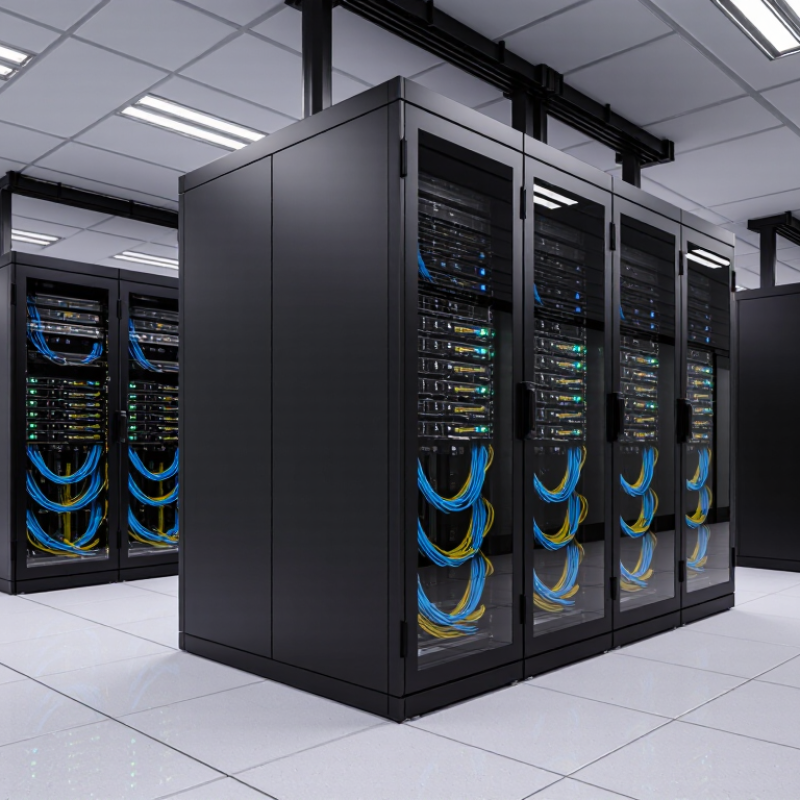
A network cabinet is more than a metal enclosure. EIA-310 defines one rack unit, or 1U, as 44.45 mm (1.75 inches) of vertical mounting space. Equipment designed in rack units can stack predictably on standard rails. A 42U cabinet therefore offers 73.5 inches of nominal mounting height. In practice, patch panels, switches, and cable managers each consume space. Leave room for airflow and maintenance, too. The arithmetic is simple. The layout is not.
This standard helps technicians plan capacity before equipment arrives. For example, a 1U switch and a 2U server occupy three rack units together, though their cables need extra clearance. Uptime Institute’s Global Data Center Survey 2024 reported average rack density of about 8.2 kW. That figure makes power and heat planning relevant even in ordinary cabinets. A rack-unit count alone cannot show whether a cabinet can safely support the load or move enough air. Check rail compatibility, cabinet depth, weight limits, and cooling paths. I have seen neat drawings become awkward installations when cable bends were overlooked. The standard organizes equipment, but it does not organize every detail.
How IEC 60529 IP Ratings Classify Cabinet Protection from Dust and Water
Network cabinets protect switches, patch panels, and power equipment from conditions that can quietly shorten service life. Dust gets everywhere. It can collect around vents and restrict airflow, while water may enter through seams, cable glands, or poorly closed doors. IEC 60529 gives buyers a consistent way to describe enclosure protection: the first digit covers solid objects and dust; the second covers water.
The standard’s test tables distinguish useful levels. IP5X means dust ingress is limited, but not fully prevented; IP6X means the enclosure is dust-tight under the specified test. For water, IPX4 covers splashing, IPX5 water jets, and IPX6 powerful water jets. IPX7 tests temporary immersion under defined conditions (IEC 60529:2013, Tables 1–2). These are test classifications, not promises that a cabinet will survive every site condition.
One detail is easy to miss. IPX7 does not automatically mean the cabinet passed IPX5 or IPX6 jet tests; those protections may need separate ratings. A cabinet near a washdown area needs a different choice from one in a clean, temperature-controlled room. Check door seals, cable entries, and ventilation openings too. The rating matters, but installation details can undermine it. Real sites are rarely perfect.
How ASHRAE’s 18–27°C Inlet Range Guides Cabinet Cooling
Why Are Network Cabinets Important?
How ASHRAE’s 18–27°C Inlet Range Guides Cabinet Cooling
A network cabinet is a small airflow environment, not just a metal enclosure. ASHRAE’s Thermal Guidelines for Data Processing Environments, Fifth Edition, gives 18–27°C as the recommended inlet temperature range for applicable air-cooled equipment classes. The measurement belongs at the equipment intake, not in a convenient room corner. That distinction matters. A cool room reading can hide a warm server inlet when exhaust air leaks around the cabinet or cables block front-to-back airflow.
Keep the front of equipment exposed to cool supply air, and limit bypass with blanking panels and sealed cable openings. Check temperatures at several inlet points, especially near the top of densely loaded cabinets. Hot spots hide. The Uptime Institute’s 2024 Global Data Center Survey reported an average facility PUE of 1.56; PUE reflects overall energy efficiency, not cabinet-level temperature compliance. It is useful context, but not a substitute for inlet measurements. In practice, airflow diagrams can look tidy while a crowded cable bundle disrupts the path. That is easy to miss, and worth checking under real operating load.
How ANSI/TIA-607-E Defines Bonding for Telecommunications Spaces
A network cabinet is more than a metal enclosure. Its frame, mounting rails, and doors can become conductive parts within a telecommunications space. Proper bonding connects these parts to the building’s telecommunications bonding infrastructure, helping limit dangerous voltage differences during electrical faults. It matters.
ANSI/TIA-607-E sets out a framework for bonding and grounding telecommunications infrastructure at customer premises. It describes components such as the telecommunications main grounding busbar and telecommunications grounding busbar, along with connections between them and the building grounding system. In a typical layout, a telecommunications room’s busbar connects to the bonding backbone, and cabinet bonding conductors connect equipment to the room’s busbar. The exact design depends on the site.
During installation, a technician should verify that bonding connections are secure, accessible, and documented. A loose lug or painted contact surface can undermine an otherwise careful installation. Labels help, but they do not prove electrical continuity. The standard provides a structured basis for design; it does not replace project drawings, qualified review, or applicable electrical requirements. Some older rooms may have unclear bonding paths, so inspect before adding new connections.
How TIA-568.3-E Guides Fiber Cabling Inside Network Cabinets
Why Are Network Cabinets Important?
How TIA-568.3-E Guides Fiber Cabling Inside Network Cabinets
Network cabinets protect fiber connections and keep patching organized, but a crowded cabinet can still cause trouble. Tight bends, dusty connectors, and unclear labels make faults harder to find. TIA-568.3-E sets requirements for fiber-optic cabling components and performance. It helps teams select and test compatible cables, connectors, and patch cords. It does not prescribe every cabinet layout. That distinction matters: the standard guides the cabling, while installers must account for the cabinet’s real dimensions and airflow.
Tips: Keep fiber patch cords away from sharp edges. Follow the cable maker’s bend-radius guidance. Clean connectors before mating them, and label both ends. Small details matter.
A practical layout leaves room to reach each adapter without pulling neighboring cords. Use suitable slack management, but avoid tight coils or pressure from cabinet doors. Test links after installation and record the results. Dust wins. Even careful work can miss a connector during a busy change, so inspection should be routine. One imperfect patch panel layout may function today, yet become difficult to maintain as connections grow. Plan for access, not just appearance.