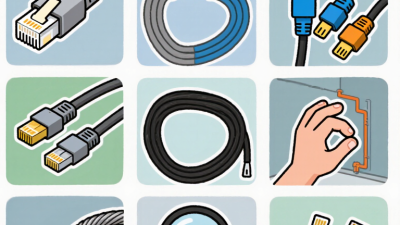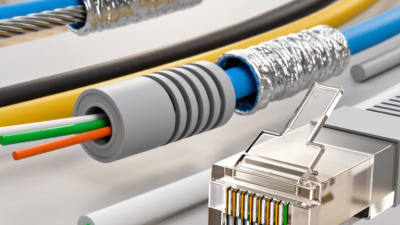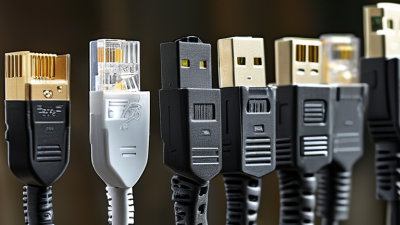
Choosing the best cat 6 bulk cable requires more than comparing prices or reading “high speed” on a package. A reliable choice begins with the installation environment, network length, expected bandwidth, and future equipment upgrades. Valerie Maguire, a recognized structured-cabling specialist, has emphasized, “The weakest link in a cabling system can limit the entire channel.” That principle matters when selecting cable, connectors, patch panels, and installation methods together.
Look closely at conductor material. Solid bare copper usually provides dependable performance for permanent building runs, while copper-clad aluminum can create concerns with resistance, heat, and certification. Check the cable’s Category 6 compliance, conductor gauge, jacket rating, and whether it is suitable for indoor walls, plenum spaces, or outdoor pathways. Keep it practical. A 23 AWG cable may be easier to terminate than a thicker option, but it can occupy more space inside crowded pathways. Small details matter.
Length also deserves careful attention. A 100-meter channel is the familiar planning limit, yet poor bends, tight pulling tension, and weak terminations can reduce performance. I have seen specifications look excellent until installation conditions changed the result. That is uncomfortable, but realistic. Consider shielding only when nearby electrical interference justifies it; otherwise, correct grounding becomes another responsibility. Review test reports, manufacturer documentation, warranty terms, and independent certifications before purchasing. The cheapest cat 6 bulk cable may not remain inexpensive after rework, failed testing, or premature replacement. Good selection is not perfect prediction. It is disciplined preparation with room to reconsider.
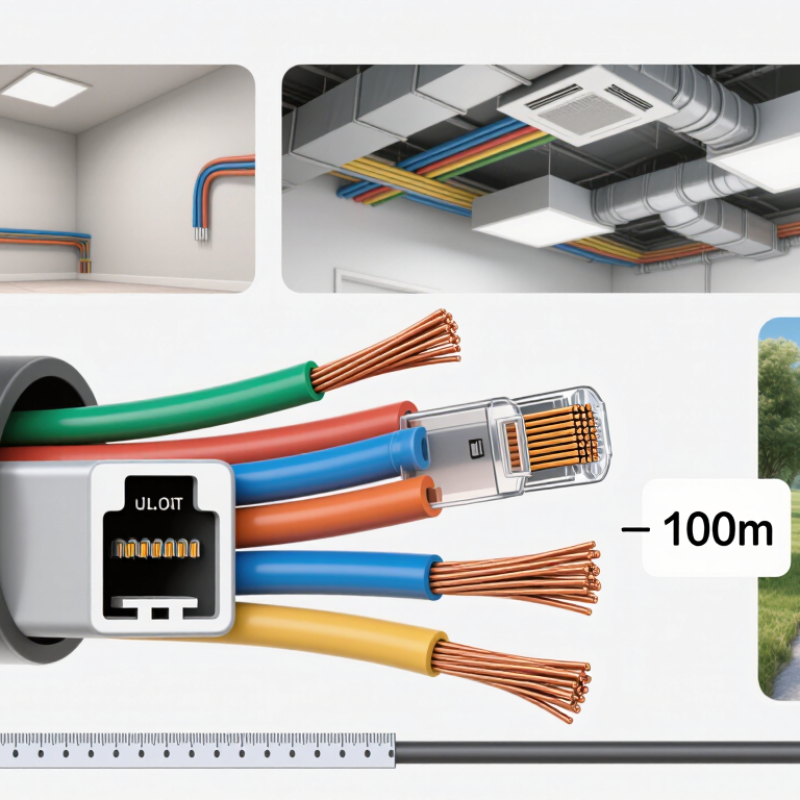
Begin with the devices, speeds, and distances your network must support. For standard Gigabit Ethernet, a Cat 6 channel can run up to 100 meters under ANSI/TIA-568.2-D cabling specifications. For 10 Gigabit Ethernet, TIA TSB-155-A guidance limits Cat 6 reach to roughly 37–55 meters, depending on alien crosstalk and installation conditions. Measure the actual cable route, not just the straight-line distance on a floor plan. A spreadsheet can make 55 meters look safe; real routes often add detours.
Next, match the cable jacket and construction to the space. Check whether it will run through open air, risers, ceilings, damp areas, or outdoors, and select a rating suited to that environment. Note nearby power cables, tight conduit, and large cable bundles, especially where Power over Ethernet devices may add heat. Solid copper conductors are generally suited to permanent building runs; confirm the conductor material and gauge on the specification sheet. Allow for bends and service loops. Small oversights matter. A route that looks simple during planning may be crowded once installed, so leave room for testing and future changes.
Cat 6 cable is commonly specified to 250 MHz, while Cat 6A supports 500 MHz, according to ANSI/TIA-568.2-D. That difference matters in dense cable bundles, where crosstalk and heat can affect performance. For many office links, Cat 6 supports 1 Gb/s channel speeds over distances up to 100 meters. IEEE 802.3an specifies 10GBASE-T; Cat 6A supports it across a 100-meter channel, while Cat 6 may support it for shorter runs, often up to 55 meters under suitable conditions. Distance is not the only factor.
Check the full cable construction before buying bulk rolls. Solid copper conductors are generally suited to permanent in-wall runs; stranded cable is more flexible for patch cords. Avoid assuming that a printed speed claim proves compliance. Look for verified category ratings, conductor size, jacket type, and the applicable fire-rating documentation for the installation space. A 23-AWG conductor may offer lower resistance than 24-AWG, but thicker cable can be harder to route through tight openings. Measure the planned path, including service loops. Leave room for bends.
A clean spec sheet cannot predict every installation. Long parallel runs, crowded trays, and poor terminations can undermine performance, even with compliant cable. Check that connectors and patch panels match the cable category. For a 10-gigabit link, Cat 6A is often the more dependable choice when the full 100-meter channel is needed. For shorter or gigabit-only runs, Cat 6 may be adequate. Verify the test results after installation.
Choosing Cat 6 bulk cable begins with the conductor. Solid bare-copper conductors suit permanent in-wall runs, where the cable stays in place. Stranded conductors bend more easily and work better for short patch leads. Check the conductor size and construction on the cable specification, not just the outer label. Copper-clad aluminum may cost less, but it can perform poorly in demanding installations, especially with power over Ethernet. Small savings can become frustrating.
Match the jacket to the route. Standard indoor jackets are not automatically suitable for vertical shafts, plenum spaces, or outdoor exposure. Riser and plenum ratings address specific building spaces; outdoor jackets resist conditions such as sunlight and moisture. Verify the rating against the installation location and applicable building requirements. A jacket that looks sturdy tells you little.
Shielding is useful when a cable run passes near equipment that produces electrical interference, but it is not a universal upgrade. Foil or braided shielding requires compatible connectors and correct bonding practices. Without them, the shield may add cost without solving the problem. Unshielded cable is often practical for ordinary office runs. Not always. Also consider cable diameter, bend radius, and bundle size before buying a large spool. Tight bends can damage performance, and a bulky cable may not fit an existing conduit. Measure the path first; I have found that this simple step is easy to overlook.
| Decision factor | Options and practical specifications | Best suited for | What to check |
|---|---|---|---|
| Conductor material | Choose solid bare copper conductors for bulk building cable. Avoid copper-clad aluminum (CCA) when standards compliance, dependable performance, or Power over Ethernet (PoE) is required. | Solid copper is the usual choice for permanent in-wall runs and structured cabling. | Check the cable specification for copper conductors and applicable safety and performance listings. CCA has higher electrical resistance than copper and is not equivalent to solid copper cabling. |
| Conductor construction | Solid conductors use one solid wire per conductor; stranded conductors use multiple smaller wires twisted together. Cat 6 bulk horizontal cable is commonly solid, while flexible patch cords are commonly stranded. | Use solid cable for fixed runs through walls, ceilings, and cable pathways. Use stranded cable for short, flexible patch leads. | Match the conductor construction to the termination hardware: jacks and plugs must be suitable for the conductor type and gauge. |
| Conductor gauge | Cat 6 bulk cable is commonly offered in 23 or 24 AWG copper. The exact conductor size can vary by cable design. | Either can work when the cable meets the required Cat 6 performance and installation specifications. | Confirm compatibility with connectors, patch panels, and PoE needs. Do not select by gauge alone; review the complete cable specification. |
| Jacket fire rating | Common North American markings include CM or CMG for general-purpose use, CMR for riser applications, and CMP for plenum spaces. Requirements depend on the installation location and local code. | Choose a rating approved for the pathway: general-purpose areas, vertical risers, or environmental-air plenums. | Use the rating required by the applicable building and fire codes. A higher-rated jacket is not a substitute for checking local rules or the cable’s full listing. |
| Outdoor protection | Outdoor cable may have a UV-resistant jacket; direct-burial designs are specifically built and identified for burial conditions. Some outdoor cables also include moisture-blocking features. | Use an outdoor-rated design for exposed exterior routes, and a direct-burial-rated design when placing cable underground. | Indoor-only jacket ratings do not establish suitability for sunlight, moisture, or burial. Verify each environmental rating required for the route. |
| Shielding | U/UTP has no overall or pair shielding. F/UTP has an overall foil shield. U/FTP has individually foil-shielded pairs. S/FTP combines an overall braid with pair foils. | U/UTP is often suitable for ordinary office and home installations. Shielded designs may be useful where electromagnetic interference is a concern and the installation supports proper bonding. | Shielding works as part of a properly installed system. Check compatible shielded connectors and bonding practices; a shield left unbonded or inconsistently terminated may not provide the intended benefit. |
| Cable geometry | Cat 6 designs may use a spline or other pair-separation structure to help control pair geometry and crosstalk. Cable diameter and bend flexibility vary. | Choose a design that fits the pathway, bend requirements, and termination space while meeting the required Cat 6 performance. | Follow the specified bend radius and avoid crushing, kinking, or over-tightening ties. A spline alone does not guarantee performance; the complete cable must meet Cat 6 requirements. |
| Network distance and performance | Cat 6 is specified for channel performance up to 250 MHz. A standard Ethernet channel is typically limited to 100 m, including permanent cabling and patch cords. 10GBASE-T over Cat 6 may be supported over shorter distances, commonly up to 55 m depending on installation conditions and alien crosstalk. | Cat 6 is a common choice for 1 Gb/s Ethernet and many shorter 10 Gb/s links. | For 10 Gb/s across a full 100 m channel, Cat 6A is generally the more appropriate category. Confirm distance, equipment, and installation conditions before selecting cable. |
| Installation environment | Consider indoor or outdoor exposure, conduit or open pathway, temperature range, moisture, interference sources, and whether the cable passes through riser or plenum spaces. | Select the cable construction and jacket rating to match the actual route rather than choosing solely by appearance or price. | Review the manufacturer’s technical sheet and local code requirements, especially for fire rating, outdoor exposure, direct burial, and PoE installation. |
Selection tip: For a typical permanent indoor run, start with solid bare-copper Cat 6 cable whose jacket rating matches the building pathway; add shielding only when the environment and grounding plan call for it.
Measure the cable route, not the straight-line distance between devices. Leave extra length for turns, service loops, and rack movement. For Ethernet, keep the complete channel within 100 meters. A fixed cable run is generally limited to 90 meters, leaving room for patch cords. Cat 6 works with standard Ethernet ports using RJ45 connectors, including many Cat 5e devices. Still, check your equipment and required data rate instead of assuming every setup will perform alike.
Choose solid-conductor cable for permanent in-wall routes and stranded cable for flexible cords; using the wrong type can make termination unreliable. Select a jacket rating suited to the installation space. Plenum areas may require plenum-rated cable. Keep data cable away from sharp edges, tight bends, and long parallel runs beside power wiring. Use appropriate supports, and never crush the cable with staples or tight ties. Shielding is not always better. It needs compatible connectors and proper bonding, so unshielded cable may be simpler in ordinary rooms. Recheck measurements before ordering; a quick estimate can miss a wall cavity or awkward ceiling turn.
Choosing the best Cat 6 bulk cable starts with the network you actually need. For home offices, cameras, and small business systems, Cat 6 usually supports dependable Gigabit connections over standard 100-meter channels. Check the cable’s conductor material, gauge, and verified performance ratings. Solid bare copper generally offers better conductivity and durability than copper-clad aluminum. It may cost more, but replacement work costs more.
Budget still matters. A low price can hide thin conductors, weak insulation, or unclear testing records. Look for published specifications, batch testing, and a jacket rating suitable for the installation space. Indoor riser cable, plenum cable, and outdoor-rated cable serve different environments. Choosing the wrong jacket can create safety and maintenance problems. Measure your routes carefully, then add reasonable slack. Too little cable causes painful rework.
I have seen installers save money on cable and lose time during termination. That lesson stays with me. Compare the total project cost, not only the box price. Consider connectors, labor, testing, and future expansion. A reliable cable should pull smoothly, keep its twists near the termination, and pass certification testing after installation. Cat 6 may not be the cheapest option today, but its stable performance can delay another rewiring project. Still, not every premium cable is necessary. If your network will remain simple, paying for features you cannot use may waste budget. Check your real traffic needs before buying.