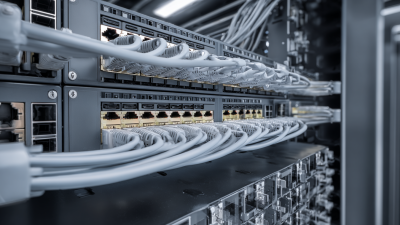
In homes, offices, and classrooms, network cables quietly connect computers, routers, and switches. A blue cable clipped beneath a desk may look ordinary, but its design helps carry data reliably across a local network. UTP cable, short for unshielded twisted-pair cable, is widely used for Ethernet connections. Inside its jacket, insulated copper wires form pairs, with each pair twisted at a specific rate. Those twists help reduce interference between pairs. No shield surrounds them. Simple in theory.
That straightforward construction helps make UTP cable affordable, flexible, and relatively easy to install. Technicians can route it through walls, patch panels, and cable trays without specialized handling for a metal shield. Different categories support different performance levels, so the right choice depends on equipment, network speed, installation quality, and distance. Ethernet channels commonly have a 100-meter limit, though actual results depend on the full setup. UTP is not perfect: nearby electrical noise can affect performance, and poor termination can undermine a good cable. A connector that looks secure may still have a badly seated wire. That detail is easy to overlook. In this guide, we’ll examine why networks rely on UTP, how its twisted pairs work, and where its limits matter. The practical answer is not simply “because it is cheap.” It is a balance of cost, performance, and installation needs, with trade-offs worth checking before a cable goes into the wall.
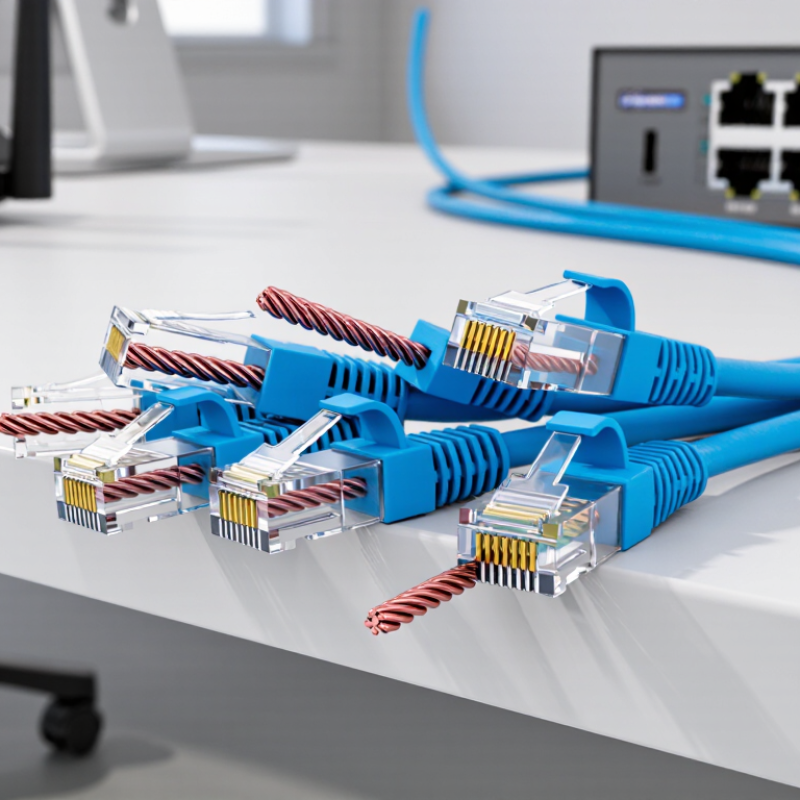
Unshielded twisted-pair (UTP) cable contains insulated copper wires arranged in pairs, with each pair twisted at a different rate. The twists help limit electromagnetic interference and crosstalk between neighboring pairs. UTP has no foil or braided shield, making it lighter and easier to bend through wall cavities and patch panels. It is widely used for Ethernet because it offers a practical balance of cost, flexibility, and performance. The details matter: cable category, connector quality, and installation all affect the result.
Industry standards give useful benchmarks. ANSI/TIA-568.2-D specifies a 100-meter maximum channel length for balanced twisted-pair cabling. IEEE 802.3an supports 10GBASE-T over Category 6A cabling at distances up to 100 meters. These figures describe compliant installations, not every cable in a real building. Tight bends, crushed sections, or poor termination can reduce performance. A cable may look fine and still fail certification.
Tips: Check the category printed on the jacket, then match it to your network speed and distance. Keep UTP away from strong electrical interference where practical, and avoid sharp bends near outlets. A simple mistake is easy to make: untwist the pairs too far while terminating them. Keep the twists close to the connector.
Inside a UTP cable, insulated copper wires are arranged in pairs and twisted around each other. Each pair carries a signal along two conductors. A network device reads the small voltage difference between them, which helps distinguish the intended signal from some electrical noise picked up along the cable.
The twists matter. They make interference affect both conductors more similarly, so the receiver can reject much of it. Different pairs may use different twist rates, which also helps limit crosstalk between neighboring signals. It is a simple design, but not a careless one.
UTP has no metal shield, so it depends on those twists, proper cable routing, and sound termination. Near motors or power cables, interference can still become a problem. Keep network cable separated from strong electrical sources where practical, and avoid sharp bends or untwisted sections at connectors.
Small details count. A cable tester can reveal wiring faults, though it cannot prove every link will perform well under real conditions. The part that is easy to overlook is consistency: a neat-looking cable may still have pairs untwisted too far at the jack. I find that detail less obvious than the cable’s familiar outer jacket.
UTP uses pairs of copper wires twisted around each other to limit electromagnetic interference (EMI). A nearby motor or power cable can induce unwanted signals, but each twist changes the wires’ exposure to that field. The induced noise tends to affect both conductors similarly. Ethernet receivers read the voltage difference between them, helping cancel that shared noise. It is useful, not magic.
The IEEE 802.3 standard specifies 1000BASE-T signaling at 125 megabaud across four twisted pairs. That precise signaling depends on controlling noise and crosstalk, not simply on adding more copper. For faster links, ANSI/TIA-568.2-D specifies Category 6A cabling with a 500 MHz channel bandwidth and a maximum 100-meter channel. These figures describe performance requirements; they do not promise immunity in every installation.
In practice, cable twists help, but installation still matters. Keep UTP separated from high-current wiring where practical, and avoid tight bends or crushed sections. A cable may pass a basic continuity check yet still suffer interference or crosstalk under load. That distinction is easy to overlook. Standards provide useful benchmarks, though real cable routes can be messier than a test setup.
In a balanced twisted pair, interference that couples equally onto both conductors appears as common-mode noise. A differential receiver subtracts the conductor voltages, canceling that shared noise in an ideal pair.
Illustrative idealized model, not field measurements: voltages are in volts and time is in milliseconds. Real cables have finite imbalance, so interference cancellation is not perfect.
UTP cable is widely used in Ethernet networks because it balances dependable performance, simple installation, and reasonable cost. Its four twisted copper pairs help reduce crosstalk, so nearby signals are less likely to interfere with each other. For homes, offices, and classrooms, this design supports stable connections without the extra shielding found in more specialized cables. It is practical. And easy to route through walls or cable trays.
Ethernet standards define cable categories and performance limits, helping installers choose suitable cable for a link’s speed and distance. UTP is also lightweight, flexible, and straightforward to terminate with common tools. In many installations, it can carry both network data and power to compatible devices. However, UTP is not ideal everywhere. Strong electrical noise from motors or poorly planned cable routes may affect performance. That trade-off is easy to overlook.
Tips: Keep network cable away from power cables where possible, and avoid tight bends or crushed sections. Check the cable category against the equipment and required link speed. A tidy installation helps, though tidy does not always mean perfect; labeling can be missed during rushed work, and that makes later troubleshooting slower.
Why Is UTP Cable Used in Networking?
UTP cable is common in office and home networks because it is flexible, widely available, and relatively easy to terminate. Its twisted wire pairs help reduce interference and crosstalk without a conductive shield. In a typical office, it can run from a wall jack to a desk or connect equipment through a patch panel. It is affordable. For many Ethernet links, a channel length of up to 100 metres is supported when the cable and installation meet the relevant specifications.
UTP also has limits. Nearby motors, fluorescent lighting, or poorly routed power cables may introduce interference, especially in electrically noisy spaces. Long runs, tight bends, and careless terminations can weaken performance too. Not everywhere. Shielded cable or fibre may be a better fit in demanding environments, but the choice depends on the site and equipment. A neat cable tray helps, though it does not fix a poor termination. Small details matter.
Tips: Check the cable category and the planned run length before installation. Keep data cable separated from power wiring, avoid crushing it under furniture, and test each completed link. If results seem inconsistent, inspect the connectors and route before replacing the cable. A quick test is useful, but it cannot reveal every future problem.
| Dimension | Practical Benefit | Limitation or Consideration | Useful Guidance |
|---|---|---|---|
| Cost and availability | UTP is widely used and is generally economical for common office, home, and commercial Ethernet installations. | Overall project cost still depends on cable category, installation labor, connectors, and the environment. | Choose a category that meets the required speed and installation specifications rather than selecting by price alone. |
| Installation and handling | Without a foil or braided shield, UTP is typically lighter and more flexible than shielded twisted-pair cable, making it convenient to route and terminate. | Ease of handling does not remove the need to follow bend-radius, pulling-tension, and termination requirements. | Keep cable twists intact as close to the termination as practical and use compatible components. |
| Interference protection | Twisted conductors help reduce the effect of external noise and crosstalk in ordinary Ethernet installations. | With no overall shield, UTP can be more vulnerable to electromagnetic interference in particularly noisy environments. | Route it away from strong electrical-noise sources; consider appropriately specified shielded cabling where the installation conditions call for it. |
| Typical Ethernet distance | Many copper Ethernet links are designed for a channel length of up to 100 m when the cable and installation meet the applicable requirements. | Longer runs can exceed the channel limit and may cause unreliable links or prevent the intended performance. | A common structured-cabling layout allows up to 90 m of permanent link plus up to 10 m of patch cords; verify the requirements for the specific standard and category. |
| Speed and cable category | UTP categories support a range of Ethernet applications. For example, Cat 5e commonly supports 1 Gb/s to 100 m, while Cat 6A supports 10 Gb/s to 100 m in a compliant channel. | Supported speed depends on category, channel length, installation quality, and the Ethernet standard; the word “UTP” alone does not specify performance. | Check the cable marking and the requirements for the intended Ethernet rate before installation. |
| Power over Ethernet (PoE) | UTP cabling can carry both data and PoE when the cable, connections, and installation are suitable for the application. | Heat buildup can be a concern in large cable bundles, especially with higher-power PoE; performance depends on conductor size, bundle conditions, and installation design. | Follow applicable cabling guidance and equipment requirements for PoE power, bundle size, and temperature. |
| Maintenance and troubleshooting | UTP is familiar to many network installers, and common Ethernet faults can often be checked with standard cable-test equipment. | Damaged pairs, poor terminations, excessive untwist, or incorrect wiring can reduce performance or cause link faults. | Test installed links against the required category and wiring standard, particularly after changes or repairs. |
| Best-fit environments | UTP is a practical choice for many homes, offices, schools, and other spaces with typical electromagnetic conditions. | It may be less suitable where unusually strong interference, demanding industrial conditions, or specific project rules apply. | Assess the route and surrounding equipment before choosing between UTP and shielded cabling. |