7 Tips for Choosing the Best Cat 6 Patch Panel

A cat 6 patch panel may look like a simple row of ports, but the wrong choice can complicate installation and make future changes harder. Behind a server rack, tight cable bends, cramped labeling, and crowded punch-down blocks quickly turn small design flaws into daily frustrations. The right panel should match your cable type, port count, mounting space, and expected network needs—not just its price.

This guide explores seven practical selection points, including shielding, termination style, build quality, and cable management. It also explains why clear labeling matters when a technician must trace one connection among dozens. Small details count.

One important note: no source or interview was provided for a named cat 6 patch panel expert’s quotation. Rather than inventing a person or attributing unsupported words to a real specialist, this introduction does not include a fabricated quote. For a reliable expert quotation, use a verifiable statement from a qualified cabling professional or standards organization.

Even a well-chosen panel cannot fix poor cable termination or unsuitable components elsewhere in the channel. That is worth remembering. Use the tips that follow to compare specifications carefully, check compatibility with your installation, and plan for access after the rack is in service. A neat panel is useful; a well-documented, correctly installed one is better.
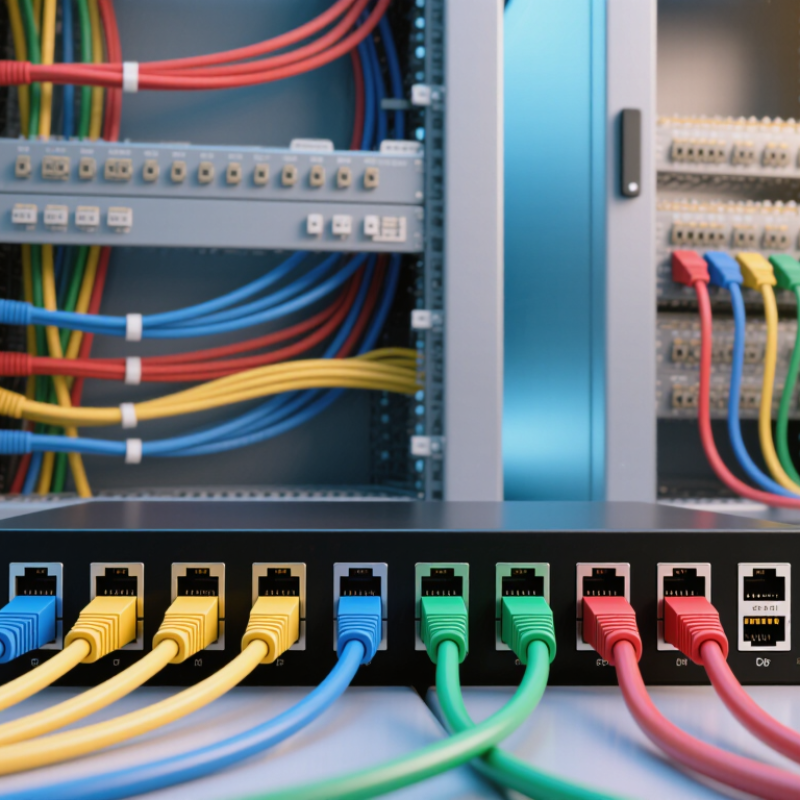
7 Tips for Choosing the Best Cat 6 Patch Panel

Understanding Cat 6 Patch Panels and Their Role in a Network

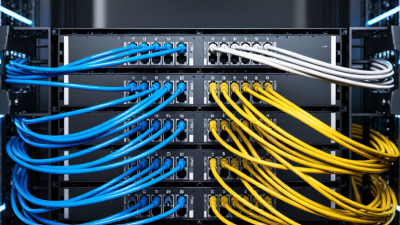
A Cat 6 patch panel is a fixed connection point for network cables running through walls, ceilings, or cable trays. Each permanent cable ends at a numbered port on the panel. Short patch cords then connect those ports to a network switch. This arrangement keeps long cable runs in place while making equipment changes easier. Small detail, big impact.

When choosing a panel, match its category rating and port count to the installed cabling and likely needs. A 24-port panel may suit a small office today, but unused capacity can help when another desk or access point is added. Check whether the panel is designed for shielded or unshielded cable; the components should match the rest of the channel. Also consider rack space, rear cable support, and how clearly ports can be labeled.

A Cat 6 panel does not increase network speed by itself. Performance depends on the complete link, including cable quality, termination, patch cords, and connected devices. Poorly seated wires can cause faults that are frustrating to trace. Testing completed links with an appropriate cable tester provides more reliable confirmation than appearance alone. I would not assume every “Cat 6” label guarantees equal build quality; installation details matter, and they are easy to overlook.

Matching Panel Ports to Your Devices and Cabling Needs

A Cat 6 patch panel should match the number and type of connections your installation actually needs. Count wall outlets, access points, cameras, phones, and switches, then leave a few ports unused for changes. Cisco’s Annual Internet Report forecast 3.6 networked devices and connections per person globally by 2023. That figure is not a site-level port count, but it shows why planning only for today’s computers can miss growing device variety. Count carefully.

Check the cabling too. TIA-568.2-D specifies Cat 6 performance up to 250 MHz, while a standard twisted-pair Ethernet channel is limited to 100 meters. Keep the panel category aligned with the installed cable; a higher-category panel cannot upgrade lower-category cable.

For a compact cabinet, a 24-port panel may fit neatly, but a 48-port model can reduce future crowding when many rooms terminate in one rack. Verify rack space, cable-entry direction, and grounding needs before ordering. Small details matter.

A port-count estimate can still be wrong when spare cables, later renovations, or powered devices are overlooked, so document what each connection serves and reserve realistic capacity.

Choosing the Right Mounting Style and Installation Setup

Tip 1 Match the mounting style to the room and the number of cable runs. A wall-mounted panel can suit a small office, while a rack-mounted model keeps larger installations organized. Check the panel’s dimensions and mounting-hole spacing before buying. Leave space in front for plugging in cables and behind for routing them. Leave room to work.

Tip 2 Plan the cable path before fastening the panel. Choose an entry direction that avoids tight bends, crushed cable, and sharp cabinet edges. Cat 6 cable needs room to curve; forcing it into a narrow corner can damage performance. A small service loop helps with future repairs, but oversized loops can clutter the enclosure. I have found that planning this path on paper saves awkward rework.

Tip 3 Install the panel at a comfortable working height, then secure and label each cable as it is terminated. Keep cable bundles tidy with suitable supports, and follow the panel maker’s instructions for grounding any metal parts. Use a punch-down tool suited to the termination blocks. Afterward, check each run with a wire-map tester; for verified performance, use appropriate certification testing. Don’t skip the test.

Comparing Shielding, Materials, and Port Management Features

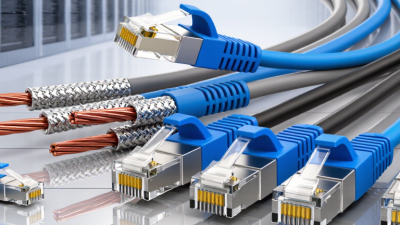
A Cat 6 patch panel is more than a row of sockets. Its shielding, build materials, and port layout affect how easily a network can be installed and maintained. Choose shielding to match the cabling around it. If shielded cables connect to an unshielded panel, the system may not provide the intended protection from electromagnetic interference. Shielded setups also need properly bonded components. Details matter.

Panel materials influence durability and handling. A metal frame can feel sturdy in a crowded rack and help protect the ports from bumps. Plastic parts may reduce weight, but check that the housing and strain relief feel secure. Look for clearly marked wire terminals and contacts designed for repeated connections. A shiny finish alone proves little. I have found that cramped terminations can turn a simple installation into slow, fiddly work.

Port management deserves equal attention. Numbered ports, readable labels, and a cable-management bar make moves and troubleshooting less confusing. Leave enough space for the cables to bend gently behind the panel; tight bends can stress them. Consider how many ports you need now, with some room for growth. More ports are not always better. A dense panel may save rack space, but it can make individual cables harder to trace. Decide based on your rack depth, cable thickness, and the way you actually work.

Checking Standards Compliance and Planning for Future Expansion

A Cat 6 label alone does not prove standards compliance. Check the product documentation for performance testing against the applicable ANSI/TIA or ISO/IEC cabling standard. Confirm the panel matches the cable type and termination method used on site. Solid and stranded conductors may need different termination support. Shielded cable also requires compatible hardware and proper bonding. Details matter.

Plan beyond today’s port count. A small office with 24 active runs may soon need more connections for access points, cameras, or another work area. Leaving roughly 20 percent of ports unused can provide a practical buffer, though the right allowance depends on the project. Check available rack space, cable-entry direction, and clearance for a punch-down tool. Crowded racks are harder to service.

Do not overlook labeling and cable management. Clear labels at both ends make moves and fault checks less error-prone. Horizontal managers can keep patch cords from covering nearby ports. I might be tempted to fill every opening to make the rack look finished, but that leaves little room for change. Some plans will still be wrong. A quick review of expected growth, rack capacity, and cable routes can catch costly surprises before installation.

7 Tips for Choosing the Best Cat 6 Patch Panel - Checking Standards Compliance and Planning for Future Expansion

Tip Selection Factor What to Check Practical Guidance
1 Verify Category 6 performance Confirm the panel is specified for Category 6 performance, including operation up to 250 MHz, and that its documentation identifies the applicable cabling standard. Check compatibility with the installed cable, connectors, and other channel components. A Cat 6 panel alone does not make an entire link Cat 6 compliant.
2 Check standards and test documentation Look for documented compliance with the applicable edition of ANSI/TIA-568.2 or ISO/IEC 11801, as relevant to the project and location. Ask for product specifications and independent test or certification information where required. Have installed links tested against the project’s specified limits.
3 Choose the right port count Common panel capacities include 24 and 48 ports, but the right choice depends on the number of cable runs, rack layout, and available rack space. Count current runs and allow capacity for planned additions. Compare one larger panel with multiple smaller panels for access, labeling, and maintenance needs.
4 Match shielding and grounding Choose shielded or unshielded panels to match the cabling system. Shielded components require an appropriate, continuous bonding and grounding arrangement. Do not mix shielded and unshielded components without checking the design requirements. Follow local electrical codes and the manufacturer’s grounding instructions.
5 Check termination compatibility Confirm the termination style, supported conductor type and gauge, and required tools are suitable for the cable being installed. Follow the panel’s wiring diagram and preserve pair twists as close to the termination as practical. Poor termination technique can reduce link performance.
6 Plan rack fit and cable management Check rack width, panel height in rack units, mounting depth, rear access, and whether cable-management bars or strain relief are needed. A standard rack unit is 44.45 mm high; confirm the actual product dimensions and rack compatibility. Leave working space for routing and servicing cables.
7 Allow for future expansion Review spare ports, available rack units, pathway capacity, labeling space, and room for cable bends and future maintenance. Reserve capacity based on realistic growth plans rather than filling every port immediately. Use consistent labels at both ends of each cable for easier changes and troubleshooting.